
All-day step tracking for runners
Stepsly works alongside your running apps to give you a full picture — daily steps, active calories, distance, and recovery walking all in one place.
For iPhone · Reads Apple Health · No account · No ads

Why it matters
Your total daily step count matters as much as your weekly mileage
Most running apps only track your runs. But what you do the other 23 hours — how much you walk, how active your recovery days are — has a significant impact on your overall fitness and injury risk.
Easy walking outside your runs keeps blood flowing on recovery days, helps maintain your aerobic base, and gives you a truer picture of your total load than weekly mileage alone.
Stepsly fills that gap. It reads Apple Health, so the steps from your runs, your commute walk and your lunchtime stroll all land in one daily total.
Sound familiar?
What gets in the way, and what changes with Stepsly.
The problem: “My running app only captures my workouts — I have no idea how active I am the rest of the day.”
 With Stepsly
Stepsly shows every step your iPhone and Apple Watch record, all day, giving you a complete picture beyond just your runs.
The problem: “I can't easily tell how many total calories I'm burning each day including walking.”
With StepslyStepsly shows the active calories Apple Health records for the whole day, runs included.
The problem: “I want to see my weekly step trends to make sure I'm staying active on rest days.”
With StepslyBar charts show day-by-day step totals — so you can ensure even rest days include movement.
The problem: “I run 3 days a week but feel like I'm barely moving the other 4 days.”
With StepslyThe hour-by-hour chart shows exactly how active your non-running days are.
Inside the app
What you’ll use every day.
Every screen here is from Stepsly. Your steps come from Apple Health, so there’s nothing to start and your past walks are already there.
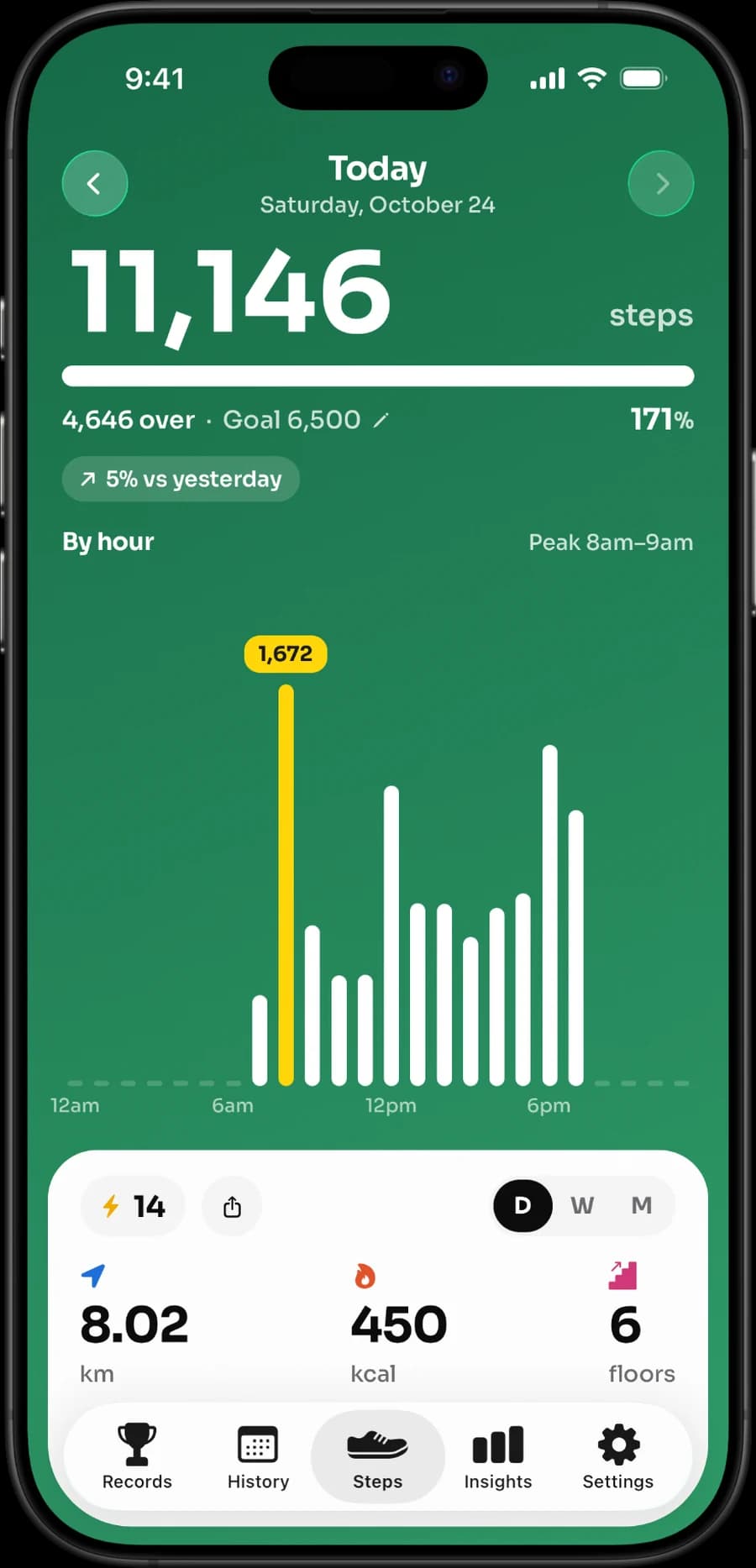
Total step count
All steps counted — warm-up, cool-down, runs, and daily walking — unified in one view.
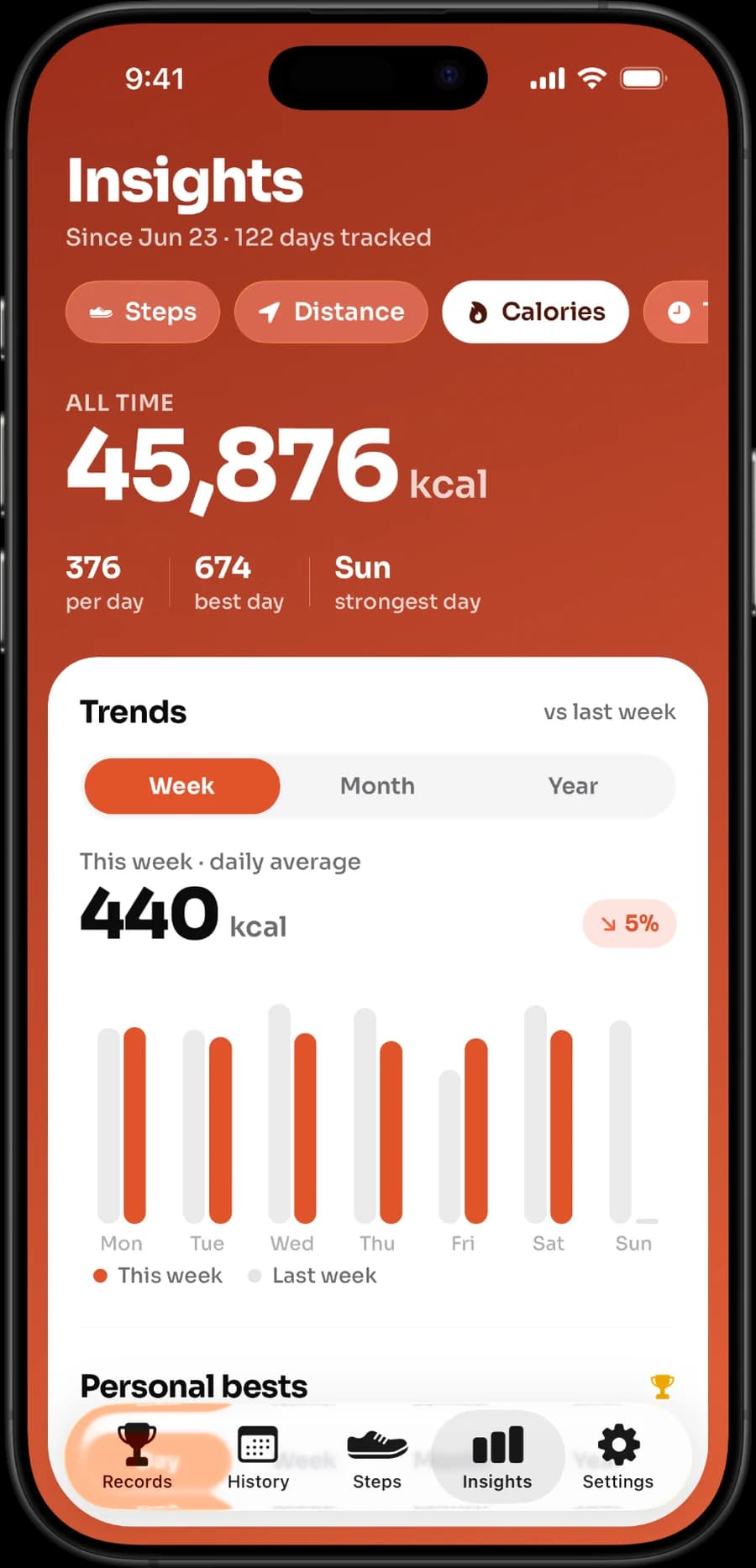
Active calories
The day's active calories from Apple Health, runs and walks included.
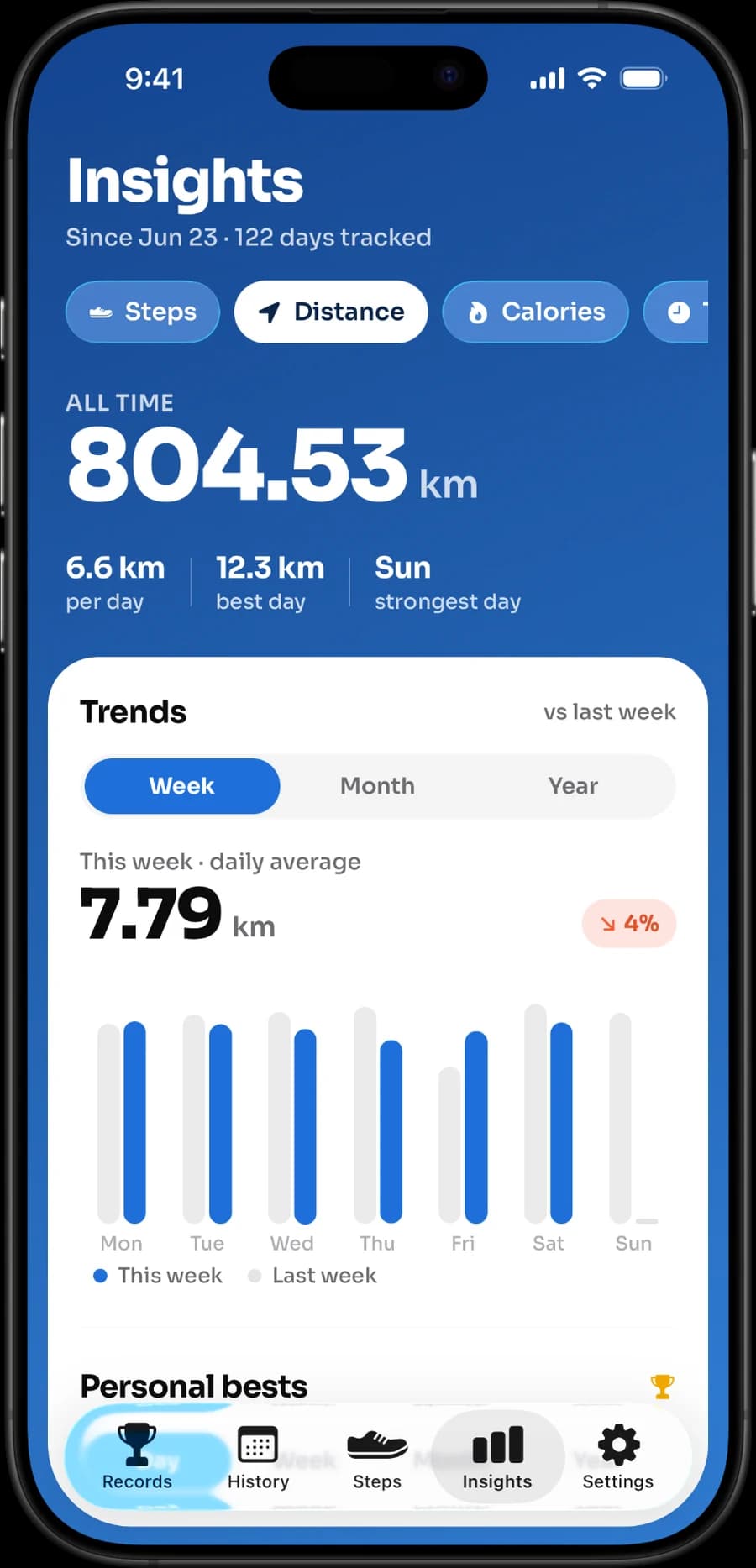
Distance
Your whole day's walking and running distance from Apple Health, in miles or kilometers, with your lifetime total.
Activity trends
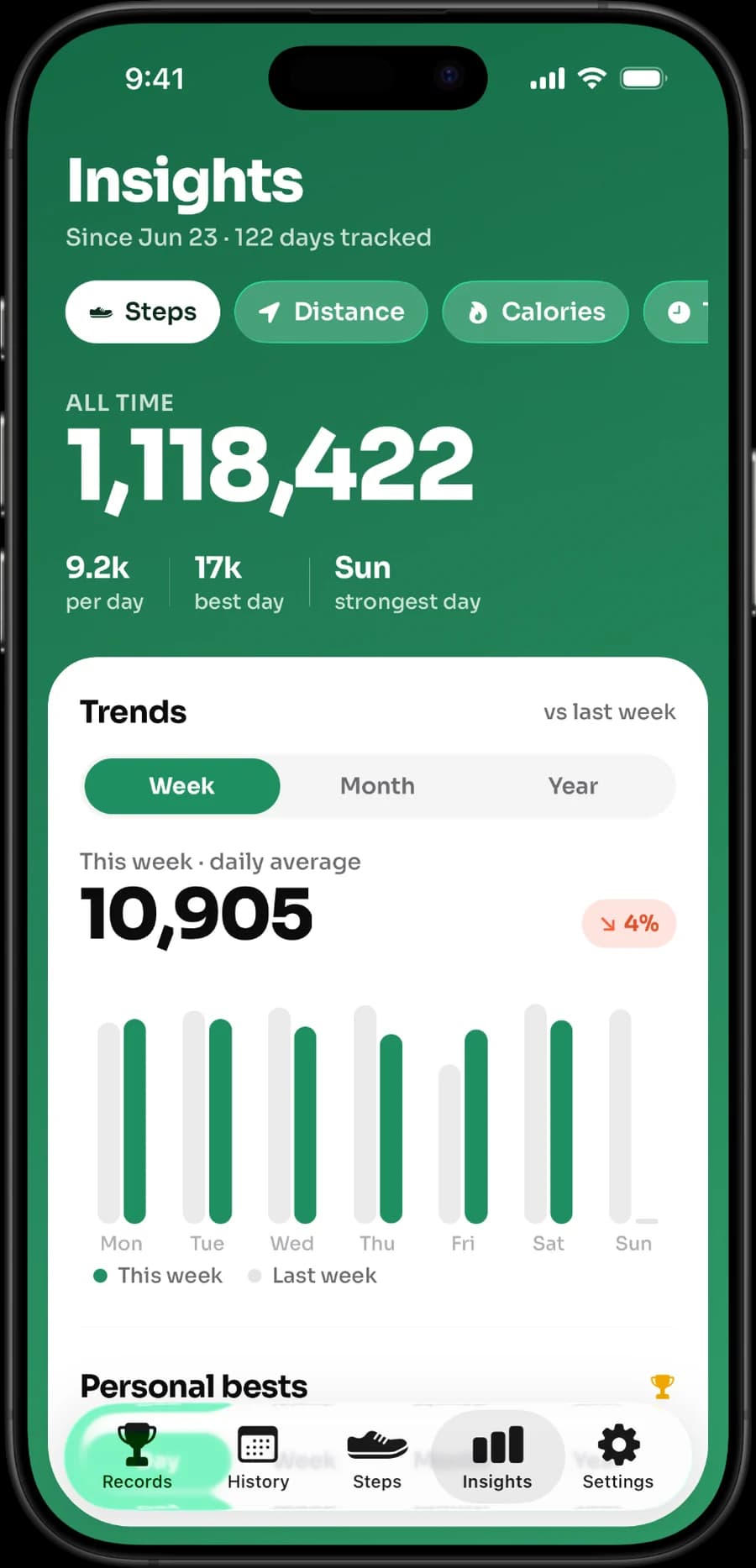
Trends by week, month and year show patterns — are you active on rest days or recovering too passively?
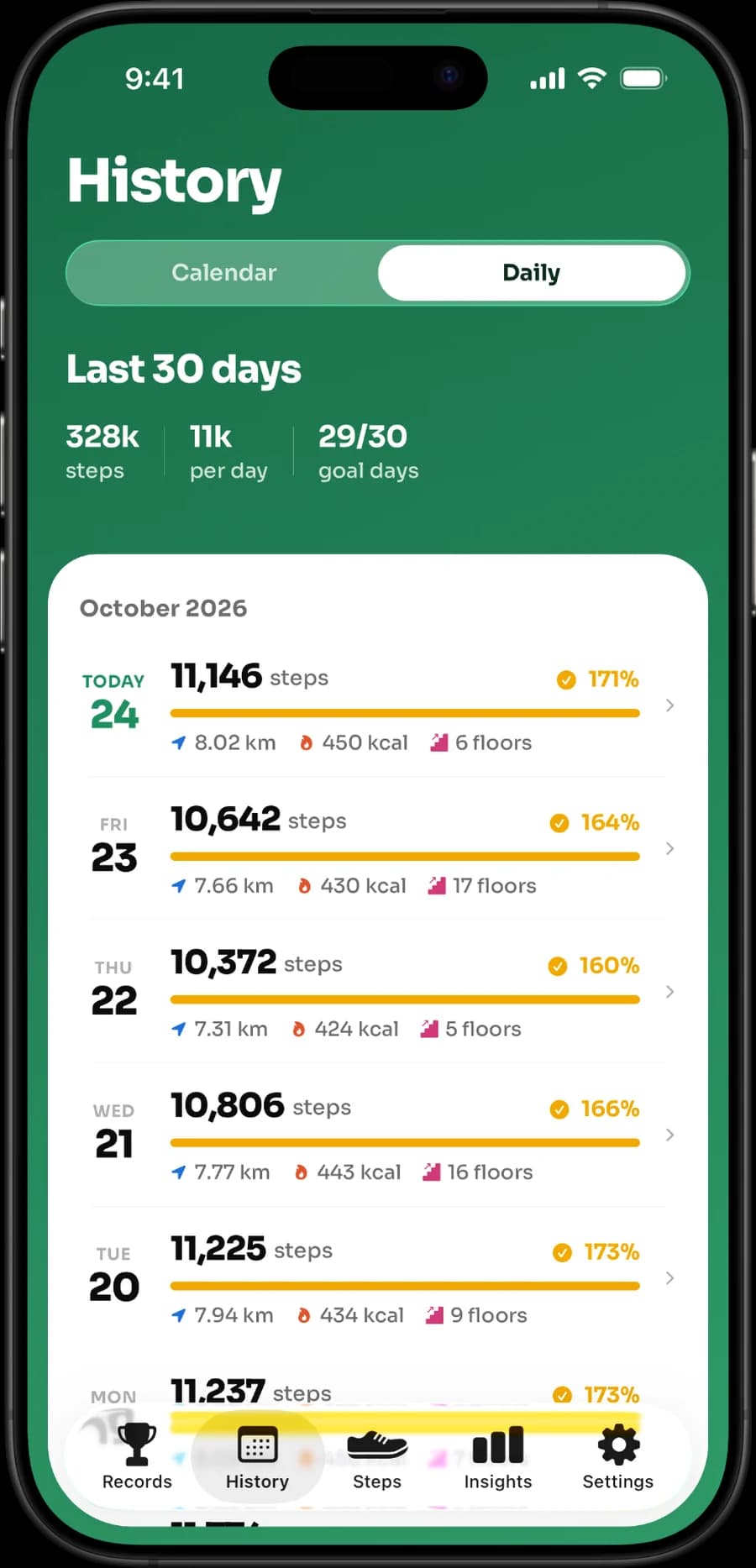
Reads Apple Health
Steps, distance, calories and floors, counted by your iPhone and Apple Watch and read from Apple Health. No duplicate tracking.
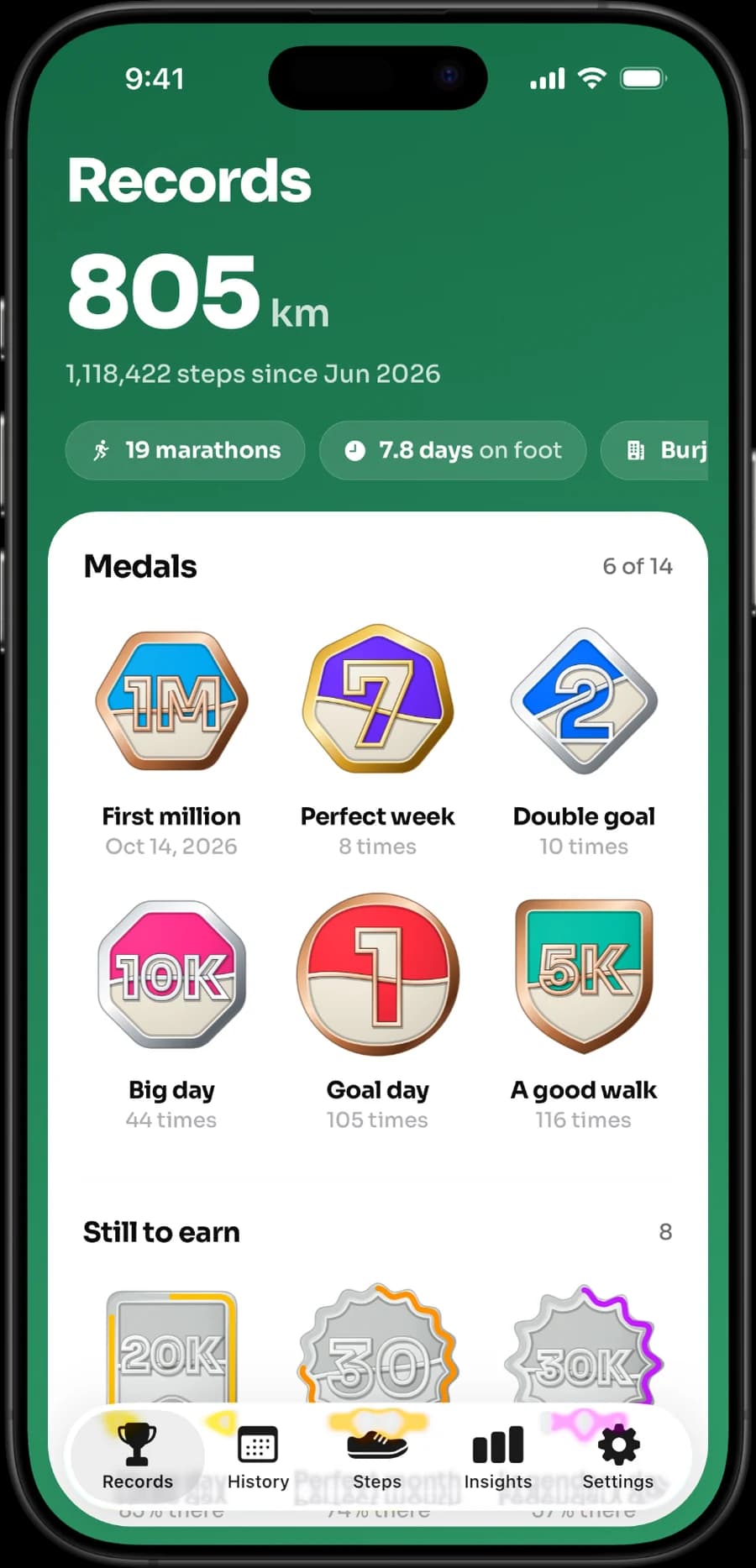
Personal bests
Your best day, best week and best month for steps, plus your lifetime in marathons walked — motivation beyond the run.
Running apps like Strava and Nike Run Club track your structured workouts. Stepsly tracks everything — all-day passive movement, total steps, and recovery walking. Together they give a complete picture of your activity.
No. Stepsly reads from Apple Health, which combines your sources without double counting. If both your Apple Watch and iPhone are recording, Apple Health reconciles them automatically.
Many coaches suggest keeping total daily steps around 7,000–10,000, including non-running movement. Easy walking on rest days keeps blood flowing without adding much training load.
Stepsly focuses on all-day step and activity data. For run-specific metrics like pace and GPS routes, keep using your running app; Stepsly doesn't record routes. Use Stepsly to see the full 24-hour picture, including all your walking.
Yes. Your iPhone or Apple Watch records the steps from your runs in Apple Health, and Stepsly includes them in your daily total automatically.
Keep going
Tools and reading for runners
See your full daily activity — not just your runs.
Stepsly reads the steps your iPhone already records, so your day, your streak and your medals are waiting the first time you open it.
 For iPhone · No account · No ads