The best iPhone pedometer depends on what you want the app to do after it has counted a step. Some people want a clean daily number and widget. Others want an Apple Watch companion, GPS routes, social challenges, multi-device support, or a focused way to turn Apple Health data into a daily habit.
Start with the category, not an app-store ranking. If you already have an iPhone, Apple Health can collect and combine activity data from permitted sources, using a source priority order you can change (opens in a new tab). A pedometer app can then present that data in a more useful way, but it cannot make a missing phone or watch record steps. As Apple puts it, the iPhone tracks steps when you carry it with you (opens in a new tab).
Choose the experience you will actually use
| If you want… | Look for… |
|---|---|
| A daily habit view | Goals, visible progress, history, and a fast glanceable widget. |
| Apple Watch access | A real Apple Watch app and complications, not merely iPhone compatibility. |
| Outdoor routes | GPS workout and mapping tools; confirm whether they work without your phone. |
| Social accountability | Groups, challenges, leaderboards, and clear sharing controls. |
| Minimal tracking | A simple step view with only the data you need. |
| Privacy confidence | An App Store privacy label and privacy policy you can understand before granting Health access. |
Price, trial availability, feature gates, and data practices can change, so check the current App Store listing before subscribing or granting permissions.
A fair shortlist for different needs
Last verified: 2026-08-20. Product capabilities and availability below are based on the linked official listings and support pages; verify them again before making a purchase. Stepsly details reflect Stepsly 4.0 (October 2026).
| App | Officially documented strengths | Choose it when… | Important trade-off |
|---|---|---|---|
| Stepsly (opens in a new tab) | iPhone Apple Health companion with goals, streaks with streak freezes, 14 medals, day/week/month history, Home Screen and Lock Screen widgets, sharing, and visual progress. No account and no ads. | You want a habit-focused iPhone view of Apple Health steps, goals, history, and widgets. | It has no standalone Apple Watch app, GPS route tracking, or social challenges. Requires Stepsly Pro: weekly or yearly (free trial for eligible new subscribers) or a one-time Lifetime purchase. |
| Pedometer++ (opens in a new tab) | iPhone and Apple Watch app with widgets, Watch complications, goals, history, and official route-planning/mapping features. | Apple Watch visibility and route tools are central to your need. | It is a broader route/outdoor toolset than a person may want for a focused habit dashboard. |
| StepsApp (opens in a new tab) | Apple Health and Apple Watch support, widgets, workouts, analytics, records, challenges, groups, and leaderboards. | You want a socially oriented tracker or multi-device ecosystem. | Its Pro features require a paid subscription; social features are not for everyone. |
| Pacer (opens in a new tab) | Can use Apple Health as a data source and has an Apple Watch app, with broader integrations documented by Pacer. | You want a separate tracking ecosystem and its integrations. | Apple Health syncing must be connected and configured; more integration choices can mean more setup. |
This is not a universal ranking. A focused reader may reasonably pick Stepsly; a Watch-first reader may reasonably pick Pedometer++; a social challenger may prefer StepsApp; and someone committed to Pacer’s ecosystem may prefer Pacer.
Where Stepsly is a good fit
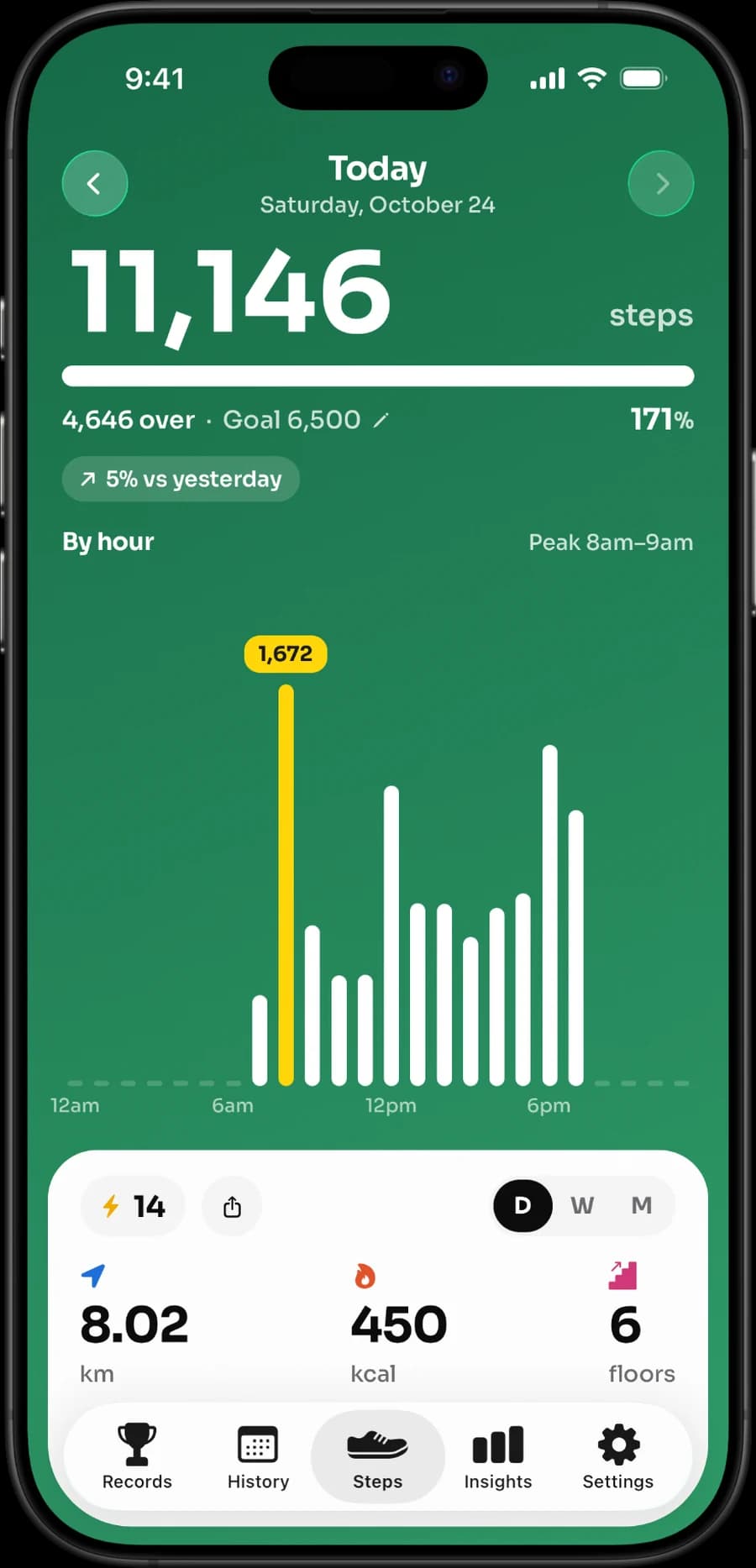
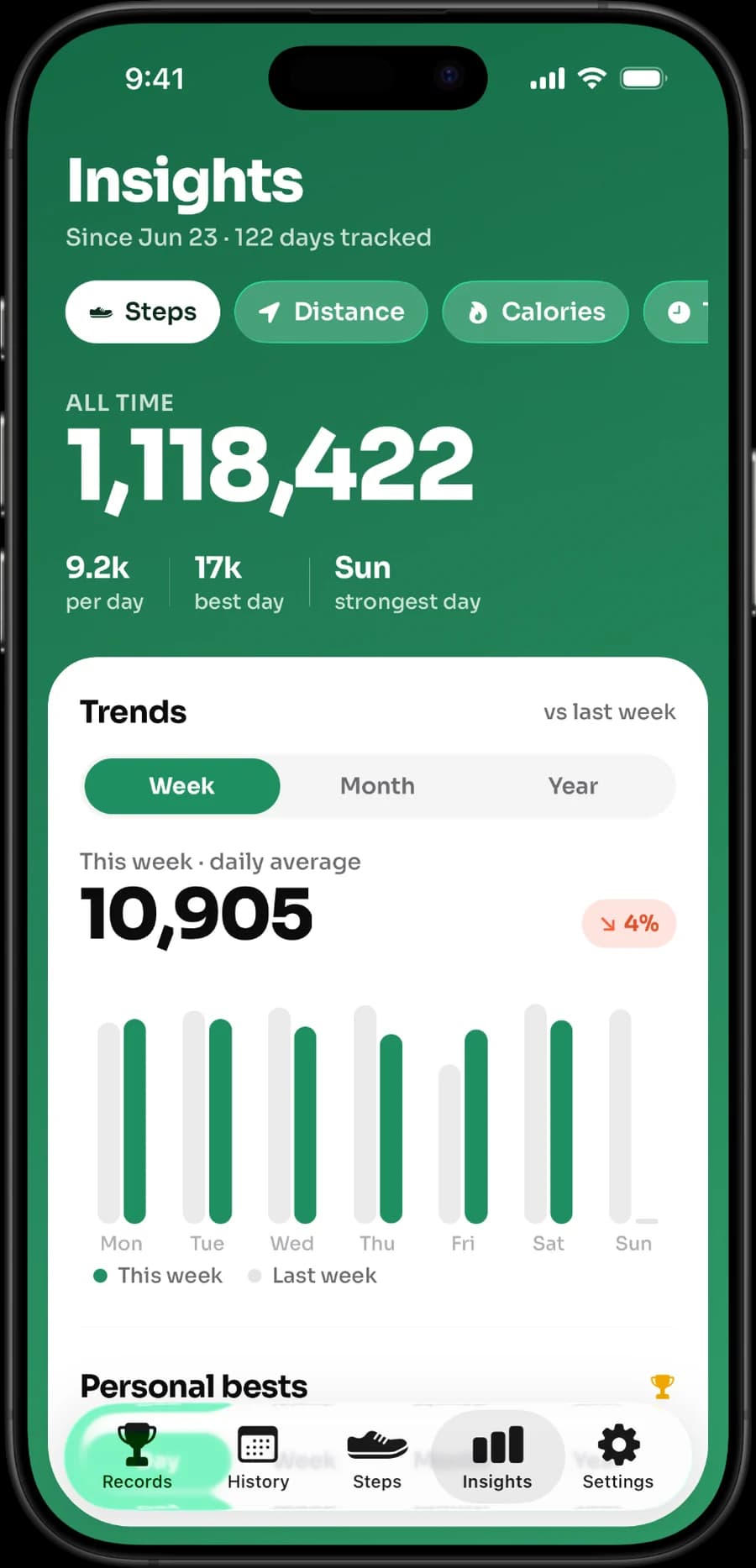
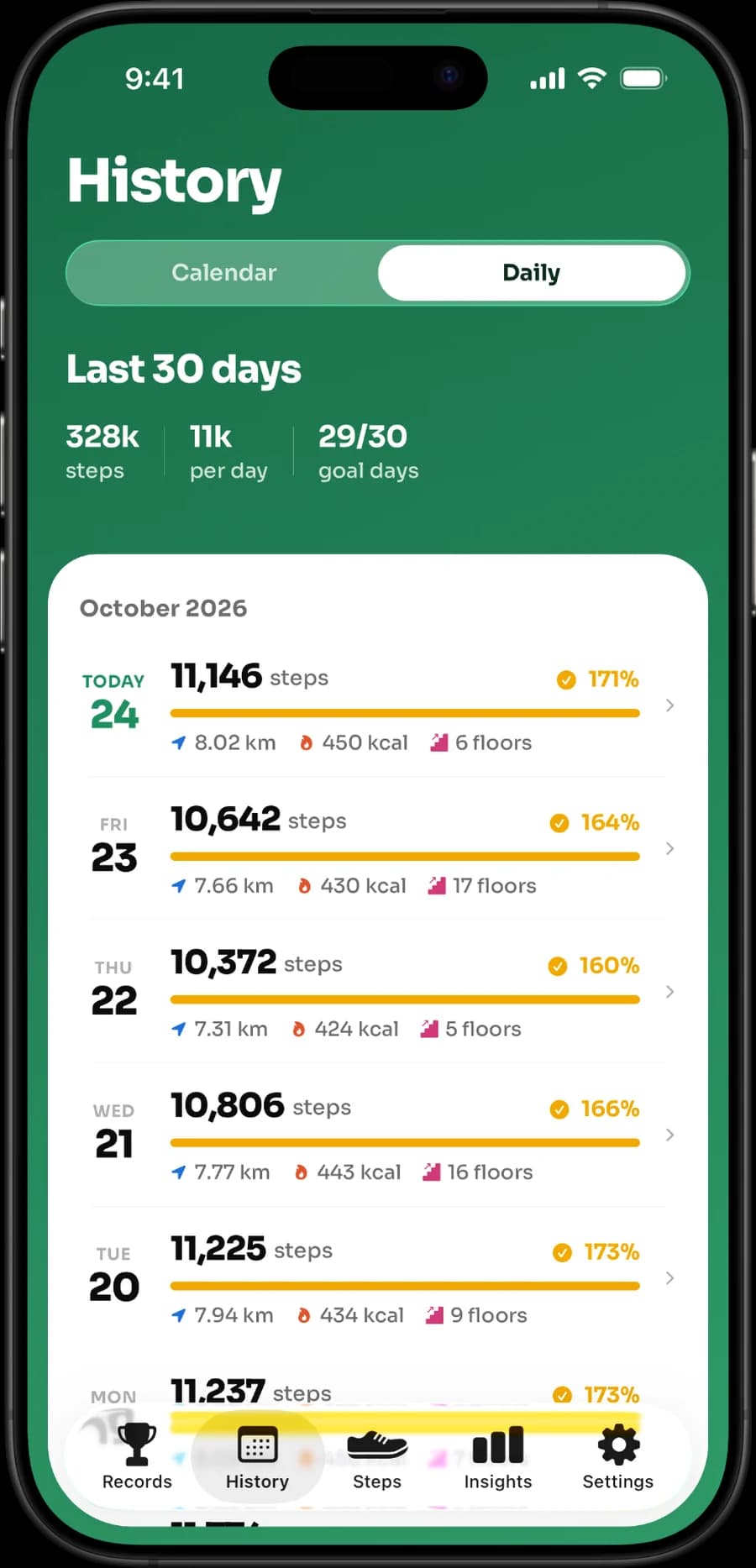
Stepsly is for people who want their iPhone to make Apple Health step data feel more actionable: today’s progress, a personal goal, a streak with streak freezes, 14 medals, and a readable history. It supports Home Screen and Lock Screen widgets, so the daily total and progress can be visible without opening the app.
The screenshots below are real Stepsly screens, showing the day and history views described above.
Choose Stepsly when this focused iPhone experience is the decision-maker. Do not choose it if a dedicated Apple Watch app, GPS routes, GPX, workout recording, or group challenges are required; those are not Stepsly features.
Five checks before you install any pedometer
- Data source: Will it read the Apple Health sources you use, and are permissions clear?
- Device fit: Do you need a phone-only app, or a real Apple Watch app and complications?
- Glanceability: Does its Home Screen or Lock Screen widget show the metric you care about?
- Motivation style: Are reminders, streaks, charts, and social features useful—or distracting?
- Cost and data practice: What is free, what is paid, what trial terms apply, and what does the current privacy label say?
For more practical context, see Apple Health vs. a step counter app, the best iPhone step widgets, and a gradual daily-step goal. If your phone and watch disagree after you install a new app, read why your step count differs between phone and smartwatch.
If the Stepsly fit above matches your needs, view it on the App Store (opens in a new tab). It is an iPhone app and works as an Apple Health companion, not a replacement for Apple Health or a medical device.
Compare the daily experience, not just a feature checklist
Feature lists can make every app look similar. The practical difference often appears at the moment you check progress. Does the app make the number understandable? Does it encourage a small, realistic next action? Can you find yesterday’s activity without navigating through unrelated workout or social screens? Use a short trial period to answer those questions with your own routine rather than relying only on a comparison table.
| Test during the first week | What you are learning |
|---|---|
| Open the app after an ordinary workday | Whether the daily view is quick and clear. |
| Add its widget where you naturally glance | Whether it earns space on the Home or Lock Screen. |
| Review a lower-step day | Whether history feels informative rather than judgmental. |
| Check the permissions screen | Whether the Apple Health connection makes sense to you. |
| Read current purchase terms | Whether the trial and paid features fit your expectations. |
The best result of this exercise might be deciding that you do not need another app. Apple Health itself may be enough for a person who prefers one place to view data. A separate pedometer earns its place when its presentation, goal system, history, or widget changes behavior in a way you value.
Match the app to the device you carry
An iPhone-first app is a different choice from a Watch-first app. If you sometimes leave the phone behind, a standalone Watch app may be essential. If you always carry the phone and want a larger screen for goals and history, an iPhone companion may be simpler. Do not assume a product’s iPhone compatibility implies a dedicated Watch app; check that exact distinction.
Stepsly is deliberately in the iPhone-first category. It can surface Apple Health-backed step data, daily metrics, trends, goals, streaks, medals, and widgets on iPhone. It has no standalone Apple Watch app, so it should not be selected for watch-face complications, phone-free Watch tracking, GPS routes, GPX, workout recording, or group challenges. Naming those limits makes it easier to select the right alternative when they matter.
Decide what “privacy” means for your choice
Privacy is not one feature toggle. Read the current App Store privacy label and the developer’s policy, then consider which permissions and sharing options you are comfortable granting. Apple's platform security guide notes that apps get separate read and write permission for each type of Health data (opens in a new tab), can't use Health data for advertising, and can have access revoked at any time. A reader who needs social features may accept different sharing choices than someone who wants a personal journal-like dashboard. Do not infer a privacy guarantee from an app’s design or marketing language alone.
Finally, check how you feel after a week. If a streak creates helpful structure, keep it. If it makes a lower-activity day feel like failure, reduce notifications or choose a simpler view. The right pedometer supports movement without making every day a test.
A simple final decision rule
Choose the app whose essential capability is documented and whose daily view you would willingly use on an ordinary, imperfect week. Do not pay for an ecosystem because of a feature you will never use, and do not choose a minimal tool when Apple Watch access, route recording, or groups are essential. Write down the one must-have and the one deal-breaker before comparing prices. That makes the decision clearer than a generic “best” badge.
Sources, notes & disclaimers
-
Manage Health data on your iPhone, iPad, or Apple Watch (opens in a new tab) — Apple Support. How Health combines and prioritizes sources.
-
See your activity summary in Fitness on iPhone (opens in a new tab) — Apple Support. iPhone motion sensors track steps when you carry the phone.
-
Protecting access to user's health data (opens in a new tab) — Apple Platform Security. Per-type Health permissions and the ban on advertising use.
-
Official product references, verified 2026-08-20: Stepsly (opens in a new tab), Pedometer++ (opens in a new tab), StepsApp (opens in a new tab), and Pacer Apple Health support (opens in a new tab).
-
Each developer’s App Store listing is the source for its stated compatibility, purchase model, and privacy label. Features and prices can change; check the live listing and privacy policy before downloading or subscribing.
-
Disclosure: Stepsly is the publisher’s product. This comparison is editorial and describes only verified Stepsly capabilities. It is not medical advice.