Apple Health and a step-counter app do different jobs. Apple Health is the iPhone’s health-data hub: it can store and organize information from iPhone sensors, Apple Watch, compatible devices, and permitted apps. A step-counter app can provide a more focused daily experience around those totals—goals, widgets, history, reminders, or a visual progress view.
You may need only Apple Health. You may prefer both. The key is to know which one is the data source and which one is presenting it.
The simple distinction
Last verified: 2026-08-20. The Apple and Stepsly behavior described below is based on their linked official documentation; iOS permissions and app features can change with updates. Stepsly details reflect Stepsly 4.0 (October 2026).
| Question | Apple Health | A step-counter app |
|---|---|---|
| What is its main role? | Central health-data store and management interface. | Focused display, motivation, and habit experience. |
| Where can steps come from? | iPhone sensors, Apple Watch, compatible devices, and permitted apps. | Often reads from Apple Health or may use its own phone-motion method. |
| Who controls access? | You manage sources and permissions in Health/iOS. | The app requests the access it needs; you can review or revoke it. |
| Is it needed for an Apple Health companion? | Yes—the companion depends on permitted Health data. | No—a person can use Health alone. |
Apple says iPhone can automatically capture steps, stairs, and other walking data. Health can also combine contributions from multiple sources. When different devices have overlapping information, source priority and update timing can affect what you see.
When Apple Health alone is enough
Apple Health may be all you need if you want an authoritative place to inspect your activity data, manage sources and permissions, and review basic trends. It is especially useful when you use more than one device or app, because it gives you a place to understand the data ecosystem.
Health alone may feel less motivating for someone who wants a persistent daily goal, highly glanceable step widget, a habit streak, achievements, or a history view designed around walking. That is where a focused companion can be useful—not because Health is incomplete, but because presentation affects whether a person notices and uses the data.
When a step-counter companion helps
Choose a companion app if it gives you a feature you will genuinely use:
| Need | A helpful companion feature |
|---|---|
| Remember today’s goal | Home Screen or Lock Screen progress widget. |
| Build a routine | Goals, reminders, streaks, or achievements. |
| Make history easier to read | Day/week/month views, charts, calendars, and records. |
| Celebrate progress | Share cards or personal-best presentation. |
| Keep it simple | A focused daily screen without searching through a broad health hub. |
You do not need every feature. The best companion is the one that reduces friction, not the one with the longest marketing list.
Where Stepsly fits
Stepsly is an iPhone-only Apple Health companion, not an Apple Health replacement. It uses Apple HealthKit activity data and turns it into a focused daily step view with distance, active calories, floors climbed, and move time; it adds goals, streaks with streak freezes, 14 medals, history, Home Screen and Lock Screen widgets, optional reminders, and share cards. There is no account and no ads; it requires Stepsly Pro (weekly, yearly or a one-time Lifetime purchase).
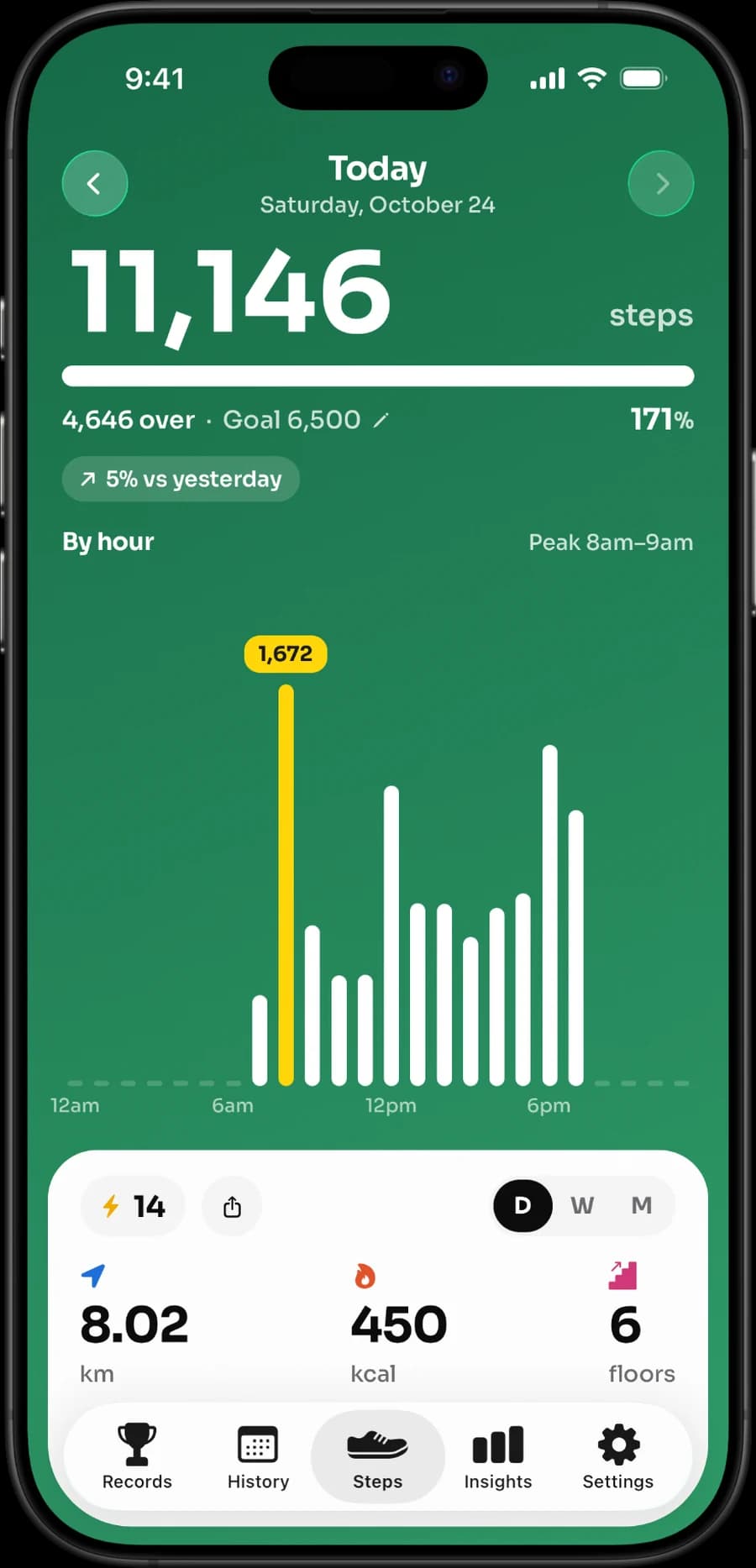
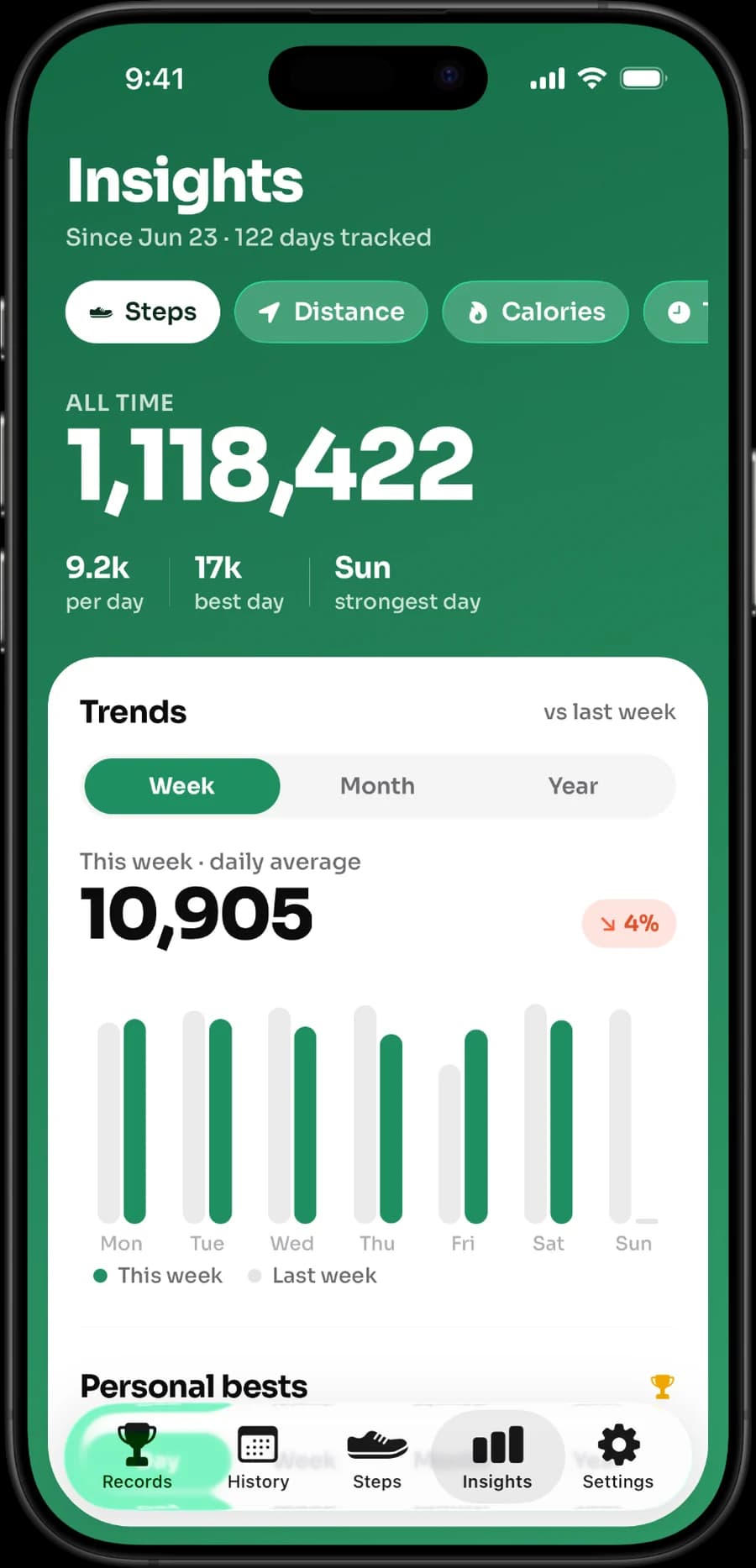
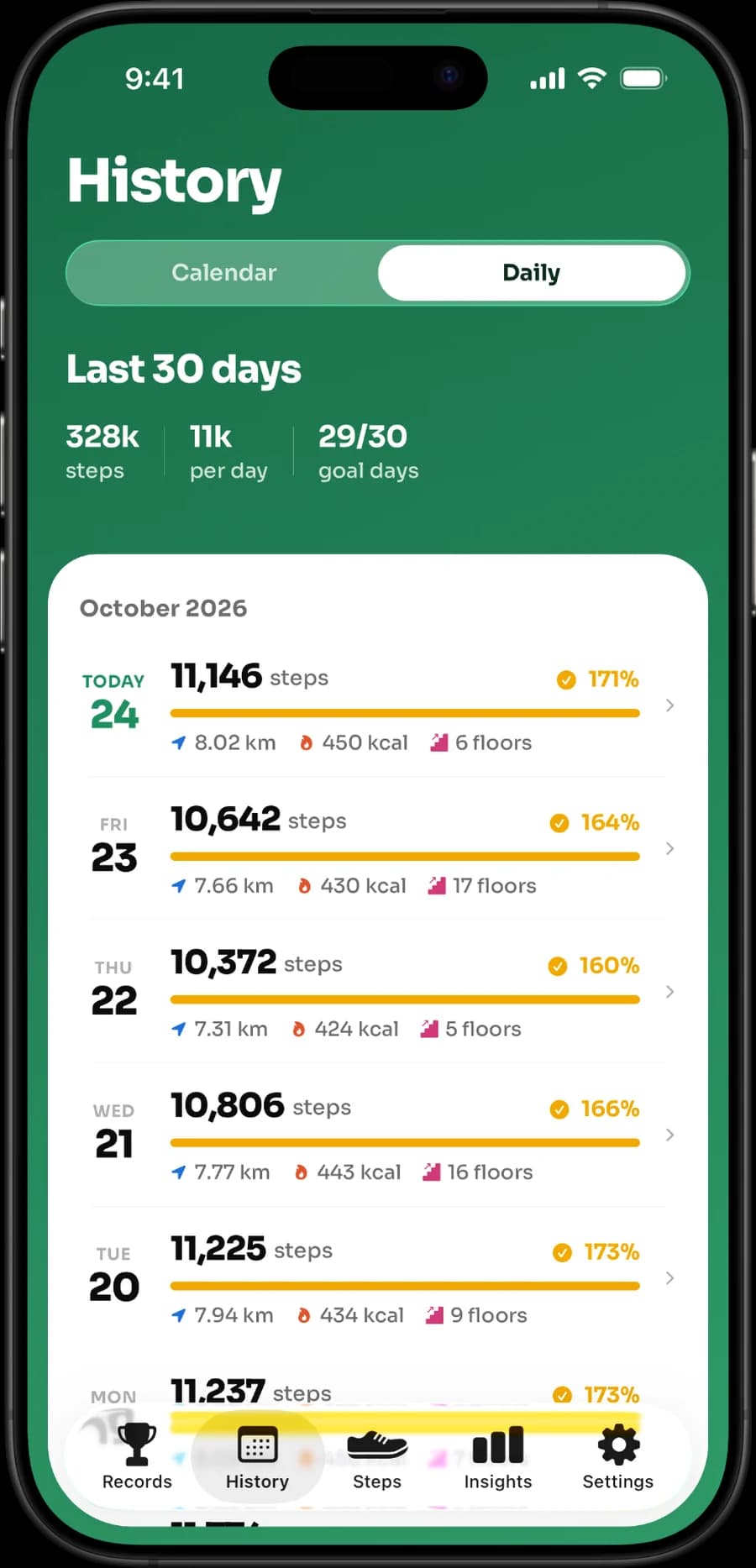
These are real Stepsly screens: the same Apple Health step data, presented as a daily goal, history and progress. Stepsly does not record GPS routes or workouts, export GPX files or run social challenges, and it has no standalone Apple Watch app.
Choose Stepsly when that focused iPhone presentation, widgets, goals, and history are useful to you. Choose Apple Health alone if you want the central data view without another app. Choose a Watch-first, social, or route-based product when those are the features you need.
Use both without creating confusion
- Check Health’s data sources and access before deciding a total is wrong.
- Grant a companion only the Health permissions it needs.
- Do not expect every app widget to refresh at exactly the same moment as Health.
- Keep one primary interpretation of your data rather than chasing differences between screens.
- Review permissions again after connecting a new wearable or installing an update.
For related choices, read best step-counter apps for iPhone, best iPhone step widgets, private step-counter app questions, StepsApp alternatives, and how many steps a two-hour walk may contain.
If a focused iPhone Apple Health companion fits your routine, view Stepsly on the App Store (opens in a new tab). It is not a medical device or a replacement for Apple Health.
Use the correct tool for each job
Apple Health is usually the first place to investigate when a total seems surprising. It is where you can see the broader data environment, sources, and permissions. A companion is the place to make that information more usable day to day. Confusing those roles can lead to unhelpful troubleshooting—for example, deleting an app because a Watch has not synchronized yet, or assuming a widget is a live fitness monitor.
| Situation | Start with |
|---|---|
| You want to see which source supplied data | Apple Health and its data-source/permission views. |
| You want a persistent daily step prompt | A companion widget or goal view. |
| You have a new wearable or permission prompt | Apple Health/iOS settings before comparing totals. |
| You want a route, workout, or Watch complication | A product that explicitly documents that capability. |
| You want personal history around steps | Health alone or a companion whose history view you prefer. |
This makes the relationship complementary rather than competitive. You can use Apple Health alone without losing control of your data, or pair it with a companion that adds a presentation you enjoy.
Test a companion with an ordinary week
If you are considering Stepsly or another companion, give it a normal week rather than a one-day test. Add the widget where you would naturally check it, set a realistic goal, look at a busy and quiet day, and review history at the end. The question is whether the view reduces friction: do you understand your progress, find it useful, and feel encouraged rather than pressured?
Stepsly’s contribution is specific: iPhone views of Apple Health activity data with daily metrics, goals, streaks, medals, records, history, widgets, reminders, visual themes, unit preferences, and share cards. Its no-standalone-Apple-Watch/no-GPS/no-workout/no-GPX/no-social-challenge boundaries stay in place. If those other features are central, choose an app designed for them instead.
Keep source questions separate from goal questions
Data accuracy and personal goals are different issues. If a total is unexpected, check device carry, sync status, Health sources, and permissions. If the number is correct but the goal feels wrong, adjust the goal rather than searching for a new app. A lower count can be appropriate after illness, injury, a demanding shift, travel, or a rest day. A companion is helpful only if it lets you keep that context.
Review live purchase terms, privacy labels, and permissions before adding an app. Health alone remains a valid choice; another app should earn its place by offering a feature you will use, not by promising to replace Apple’s data hub.
A simple decision worksheet
Choose Apple Health alone if you mainly want a central place to view and manage health data, sources, and permissions. Add a companion if you repeatedly wish the daily total, goal progress, history, or reminder were easier to see. Choose a Watch-capable or route/workout product when those device-specific features are the reason you are looking. This prevents installing a companion for a task it does not claim to do.
| Your answer | Practical setup |
|---|---|
| “I need source control and basic data.” | Apple Health may be enough. |
| “I want a daily goal and glanceable iPhone progress.” | Consider a focused companion such as Stepsly. |
| “I need Apple Watch complications.” | Use a documented Watch-capable product. |
| “I need GPS/workouts/routes.” | Use a product that explicitly offers those features. |
| “I am unsure about permissions.” | Start with Health, then add only what you understand. |
Keep the workflow simple
You do not need to inspect every number all day. Use a widget or one daily check if it supports your habit, then review a weekly pattern in Health or the companion. If the app increases anxiety or makes a lower-activity day feel like failure, reduce reminders, simplify the widget, or return to Health alone. The right setup should make your information easier to use without turning it into a continuous score.
That is the actual value of pairing Health with a companion: not a new source of truth, but a presentation that can help a user notice and act on the information they already control.
Sources, notes & disclaimers
-
Planning doses use the Physical Activity Guidelines for Americans (opens in a new tab): 150–300 moderate weekly minutes plus strength work on 2 days for most adults who can safely do so.
-
Official references, verified 2026-08-20: Apple: Health data on iPhone (opens in a new tab), Apple: manage Health data (opens in a new tab), Apple HealthKit overview (opens in a new tab), and Stepsly (opens in a new tab).
-
Apple Health data access and third-party-app behavior depend on permissions, device configuration, and current app versions. Review source priority and permissions in iOS if totals differ.
-
Disclosure: Stepsly is the publisher’s product. It is described as a companion to Apple Health, not a replacement for it or a medical device.