Pacer can work as a phone motion tracker or use Apple Health as a primary data source, according to its current iOS support documentation. It also documents Apple Watch use and several wearable integrations. An alternative makes sense when you want a different tracking style—not simply a different step number.
Before you move data or subscriptions, clarify whether you want an ecosystem with integrations, a social challenge tool, Watch-and-route capability, or a smaller iPhone Apple Health habit companion.
Start with your data source
Pacer’s documentation explains that it can use iPhone motion or Apple Health. When Apple Health is selected, its displayed total can reflect Health’s merged data-source priority, which Apple explains in its guide to managing Health data (opens in a new tab). That is useful context for any “why are my steps different?” question: a different display does not necessarily mean a different app is more accurate. Our fix guide on a step app showing a different count than Health walks through the usual causes.
| Your need | What to check before changing apps |
|---|---|
| Phone-only tracking | Whether you normally carry the phone and how the app handles motion permission. |
| Apple Watch data | Whether the app has a standalone Watch app or simply reads Health data. |
| Other wearable integrations | The developer’s current supported-device documentation and any premium requirements. |
| History/motivation | Whether you prefer trends, goals, streaks, reminders, or social features. |
| Privacy and cost | The live App Store privacy label, policy, trial, and subscription terms. |
Alternatives for distinct needs
Last verified: 2026-08-20. Product descriptions are limited to the following official current sources. Stepsly details reflect Stepsly 4.0 (October 2026).
| App | Suitable use case | Why it may fit | What it does not replace |
|---|---|---|---|
| Stepsly (opens in a new tab) | Focused iPhone habit view | Goals, streaks with streak freezes, 14 medals, history, Home Screen and Lock Screen widgets, and Apple Health activity presentation. No account and no ads; requires Stepsly Pro (weekly, yearly or a one-time Lifetime purchase). | No standalone Apple Watch app, GPS routes, workout tracking, or third-party wearable ecosystem. |
| Pedometer++ (opens in a new tab) | Watch and outdoor route tools | Officially listed Watch app/complications, widgets, and route planning. | It may be unnecessary for a person who just wants an iPhone dashboard. |
| StepsApp (opens in a new tab) | Social step motivation | Officially listed groups, challenges, leaderboards, Apple Watch support, widgets, and trends. | Social features and paid Pro options are not the right fit for everyone. |
When Stepsly is a sensible Pacer alternative
Stepsly suits people who want to stay within the Apple Health model but have an iPhone interface built around daily progress, a personalized goal, streaks with streak freezes, 14 medals, widgets, history, and visual records. It is not a Pacer ecosystem replacement; it is a different, more focused experience.
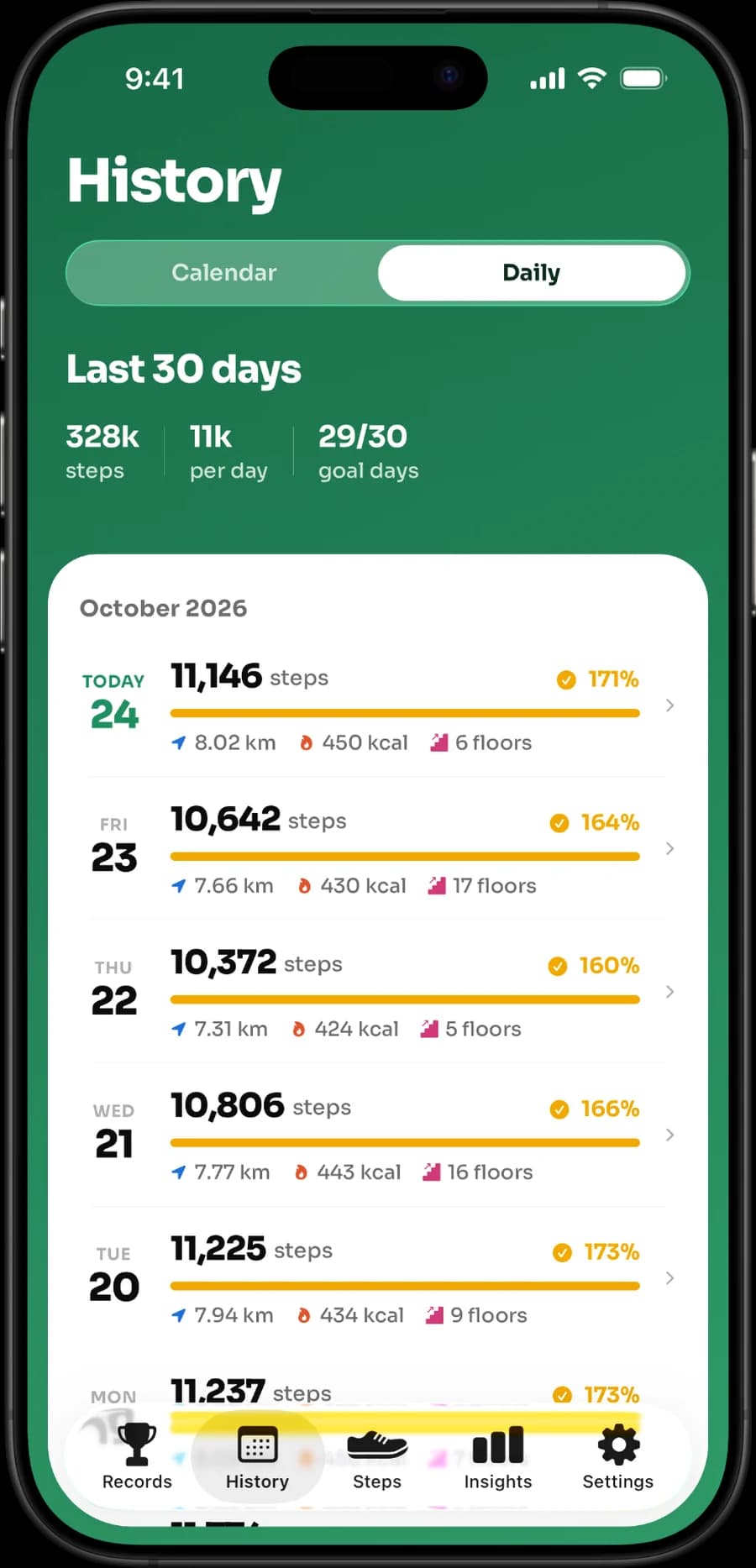
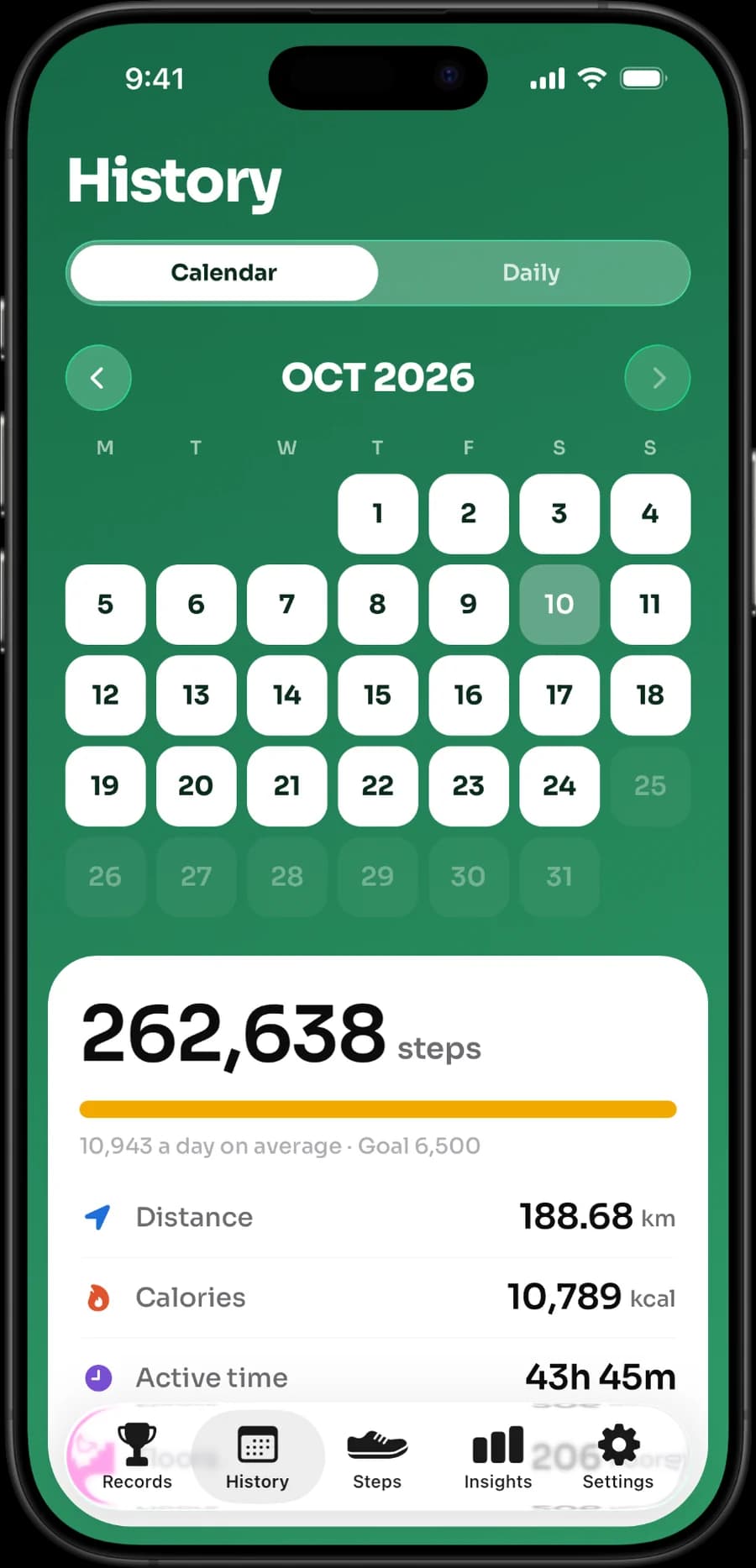
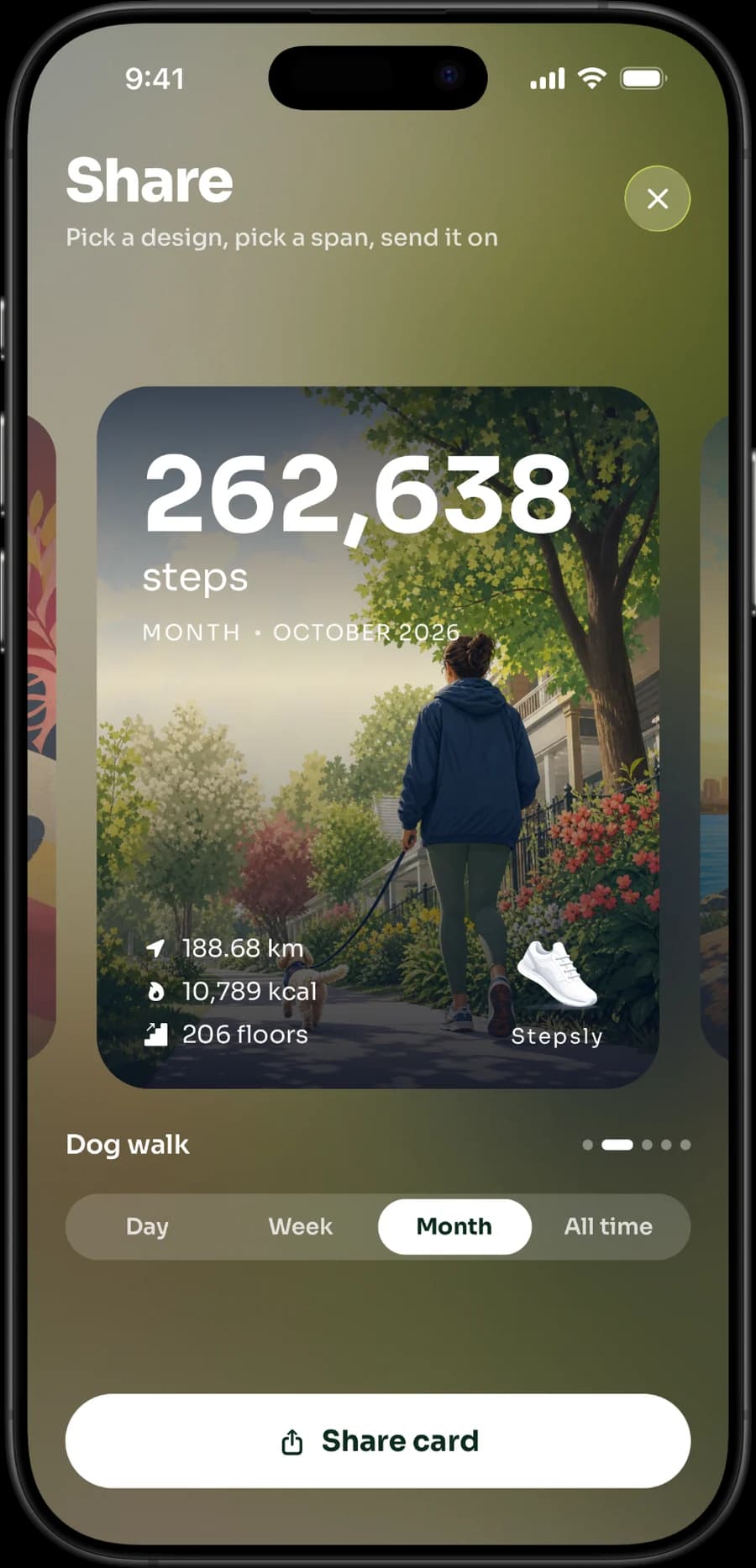
These are real Stepsly screens. They show how the app presents your steps, not a promise of any health outcome.
Do not move to Stepsly if the core reason you use Pacer is a standalone Watch app, GPS/workout tracking, social challenges, or a supported third-party wearable integration. Stepsly is an iPhone-only Apple Health companion with no standalone Apple Watch app.
A practical migration test
Keep your current setup in place for one normal week while you compare the information you actually use. Check whether the new app has the widget, history granularity, goal setting, reminder controls, and data source you expect. Read permissions before enabling them, and be wary of comparing totals at different update times.
Then choose the product that asks the least attention for the most value. The goal is a sustainable walking habit, not a leaderboard among apps.
For related reading, see best step-counter apps for iPhone, Pedometer++ alternatives, StepsApp alternatives, private step-counter app questions, and Apple Health vs. step-counter apps.
If the focused iPhone fit is right, view Stepsly on the App Store (opens in a new tab).
Compare the setup burden as well as features
Pacer’s value may come from the integrations and tracking setup that another app deliberately does not offer. Before switching, list what is connected now: iPhone motion, Apple Health, Apple Watch, another wearable, a social group, or a workout feature. An alternative is only an improvement if it preserves the pieces you rely on—or if removing them makes the routine simpler in a way you prefer.
| Current Pacer use | What to verify in an alternative |
|---|---|
| Apple Health display | Health permissions, source behavior, history, and refresh expectations. |
| Apple Watch use | A real standalone Watch app and complications, if those are required. |
| Third-party wearable data | Explicit documented integration, not a vague compatibility claim. |
| Challenges/social features | Controls that match the level of accountability you want. |
| Simple daily habit | Goals, reminders, history, and widgets that you will actually use. |
Stepsly intentionally covers the last category, not the full Pacer ecosystem. Its fit is a focused iPhone Apple Health habit companion. It has Home Screen and Lock Screen widgets, daily metrics, goal tracking, streaks with streak freezes, 14 medals, records, reminders, sharing, and day/week/month history. It has no standalone Apple Watch app, no GPS route or workout tracking, no GPX export, no social challenges, and no third-party wearable integration layer.
Compare a normal week, not a synchronized screenshot
Keep the current configuration in place during a short trial. Check an ordinary weekday, an active day, and a quiet day. Look at when the numbers update, whether the widget shows what you need, how history is organized, and whether notifications add value. A difference at one moment may be source timing, not a meaningful accuracy result. Apple Health is the relevant place to investigate source/permission questions; see Health data source priority giving wrong steps if the order looks off.
Choose the attention level you want
An ecosystem can be valuable when integrations and features support your routine. It can also create more settings than a person wants to manage. A focused companion can be beneficial when it makes the daily decision simpler: look at progress, take a walk if you want one, and review history later. Neither is the universal winner. The right choice is the one that delivers the motivation and device support you actually need without features that add pressure or complexity.
Check live subscription, privacy, and compatibility information before moving data or paying. Product pages and policies may change after this comparison’s verification date.
A practical keep-versus-switch rule
Keep Pacer when its connected ecosystem, Watch support, route/workout tools, social features, or supported wearables are central to your routine. Change only if another product’s presentation and setup better match how you actually use step data. A different daily total is not enough evidence by itself; confirm Health sources, synchronization, and device carry habits before judging accuracy.
Choose Stepsly when a focused iPhone Apple Health experience is the desired outcome: a clear day view, goals, streaks, medals, records, widgets, reminders, share cards, and personal history. It should never be represented as a Pacer replacement for third-party wearable integrations, GPS tracking, workouts, social challenges, or a standalone Apple Watch app. Those are documented limitations, not missing details.
Keep the goal personal
Once you have selected a tool, set a goal based on a normal week and adjust it gradually. A highly active job, travel, poor weather, fatigue, recovery, and health concerns all change what makes sense. If a streak or notification causes pressure, use a simpler widget, pause reminders, or choose a different motivation style. The app should help you notice a habit, not create a score you must defend.
Revisit permissions as part of the routine
When you stop using an app, review its Health permissions and any connected accounts rather than leaving every connection active by default. When you add one, grant only the access you understand and need. Apple's platform security guide notes that apps get separate read and write permission for each type of Health data (opens in a new tab), and that you can review or revoke them in Settings. This is a practical privacy habit independent of which product you choose, and it keeps a comparison decision aligned with your actual use.
Use the same slow approach with features: enable only the reminders, sharing, or integrations that genuinely support your routine. You can add more later. Starting with a comprehensible setup makes it easier to understand where data comes from and whether the app is helping rather than demanding attention.
Sources, notes & disclaimers
-
Manage Health data on your iPhone, iPad, or Apple Watch (opens in a new tab) — Apple Support. How Health prioritizes and merges data sources.
-
Protecting access to user's health data (opens in a new tab) — Apple Platform Security. Per-type Health permissions and how to revoke them.
-
Official product references, verified 2026-08-20: Pacer device integrations (opens in a new tab), Pacer Apple Health synchronization (opens in a new tab), Stepsly (opens in a new tab), Pedometer++ (opens in a new tab), and StepsApp (opens in a new tab).
-
Product capabilities, pricing, supported devices, privacy labels, and synchronization behavior can change. Check the current official resources and permissions before switching.
-
Disclosure: Stepsly is the publisher’s product. This comparison identifies use cases where Pacer or another app is more appropriate.