StepsApp is not a single-purpose pedometer. Its current App Store listing describes Apple Health and Apple Watch support, step goals and streaks, widgets, workout tracking, analytics, social sharing, and group challenges. An alternative is only “better” when you want a different mix of those things.
The useful question is not “Which clone has the most features?” It is whether you want a social tracker, a Watch-and-route tool, a minimal iPhone view, or a habit-focused presentation of Apple Health data.
Why someone might look for an alternative
You may want less social pressure, a simpler dashboard, an Apple Watch-first experience, a different route tool, or a specific widget style. You may also be comparing trial terms, subscriptions, App Store privacy labels, or accessibility preferences. Those are legitimate reasons to switch without declaring one app objectively superior.
| If this is your priority… | Evaluate this kind of alternative |
|---|---|
| iPhone goals, streaks, history, and widgets without social challenges | Evaluate Stepsly. |
| Apple Watch complications and route planning | Evaluate Pedometer++. |
| A broader Pacer device/integration ecosystem | Evaluate Pacer. |
| Challenges, leaderboards, and groups | StepsApp may already fit well. |
| Minimal display | Compare each app’s current widget and data-permission experience. |
Alternatives in context
Last verified: 2026-08-20. This is a feature-fit comparison based on the linked official pages, not a universal ranking. Stepsly details reflect Stepsly 4.0 (October 2026).
| App | Officially documented capability | Pick it when… | Do not pick it solely because… |
|---|---|---|---|
| Stepsly (opens in a new tab) | iPhone Apple Health metrics, goals, streaks with streak freezes, 14 medals, history, Home Screen and Lock Screen widgets, and share cards. No account and no ads; requires Stepsly Pro (weekly, yearly or a one-time Lifetime purchase). | You want a focused iPhone habit view with visual progress and no need for social challenges. | You need a standalone Apple Watch app, GPS routes, workout tracking, or social challenges. |
| Pedometer++ (opens in a new tab) | iPhone/Apple Watch support, Watch complications, widgets, goals, history, and route planning. | Watch access and outdoor route tools are central. | You only need a simple daily Apple Health dashboard. |
| Pacer (opens in a new tab) | Apple Health and Apple Watch support plus documented wearable integrations. | You value Pacer’s ecosystem and integration setup. | More integrations automatically mean less setup or a better fit. |
When Stepsly is the better alternative
Stepsly is a reasonable alternative for an iPhone owner who does not need the social/challenge layer but does want a goal, progress view, streaks with streak freezes, 14 medals, personal records, and day/week/month history around Apple Health data. Its widgets make the daily view glanceable, and its history can make a regular walking habit more visible.
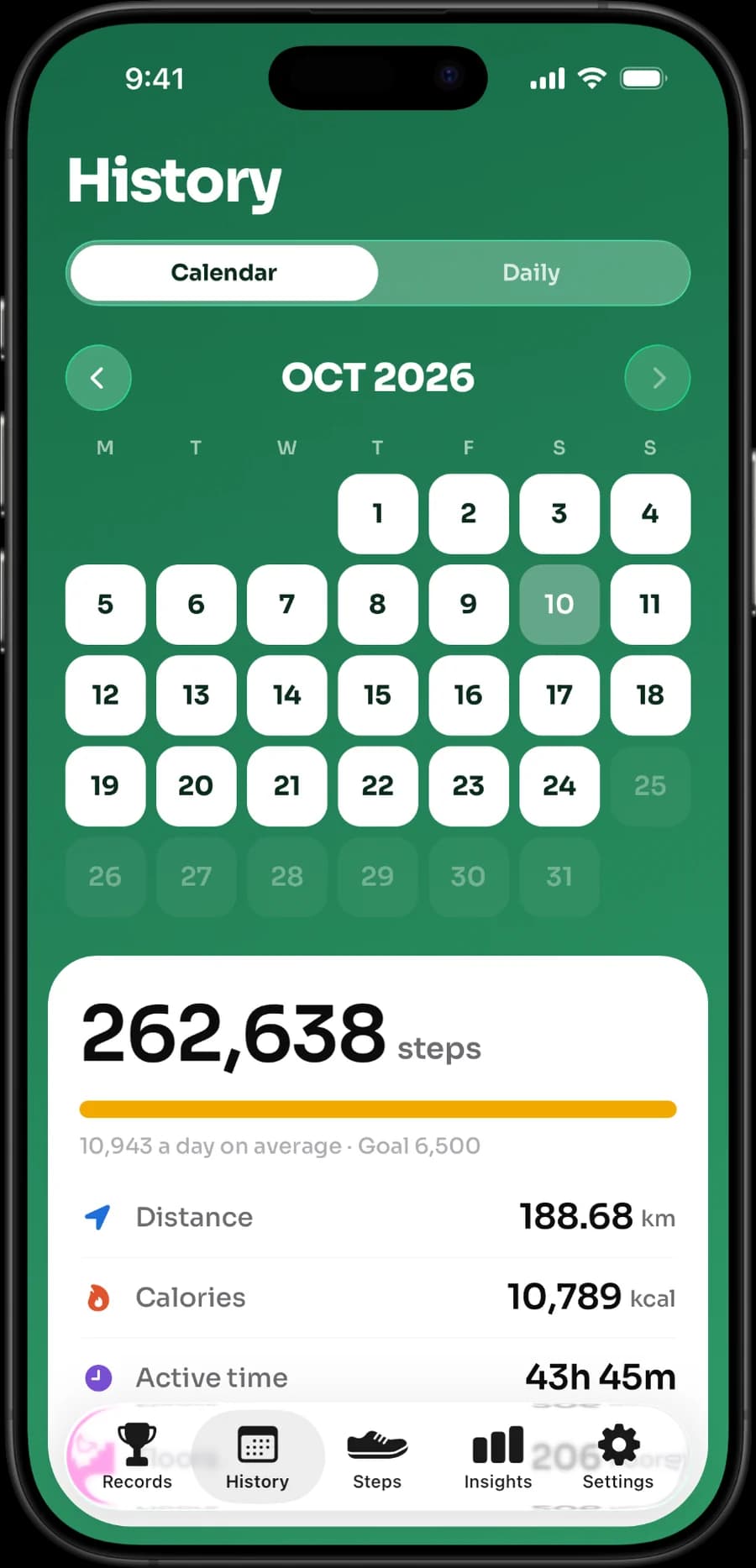
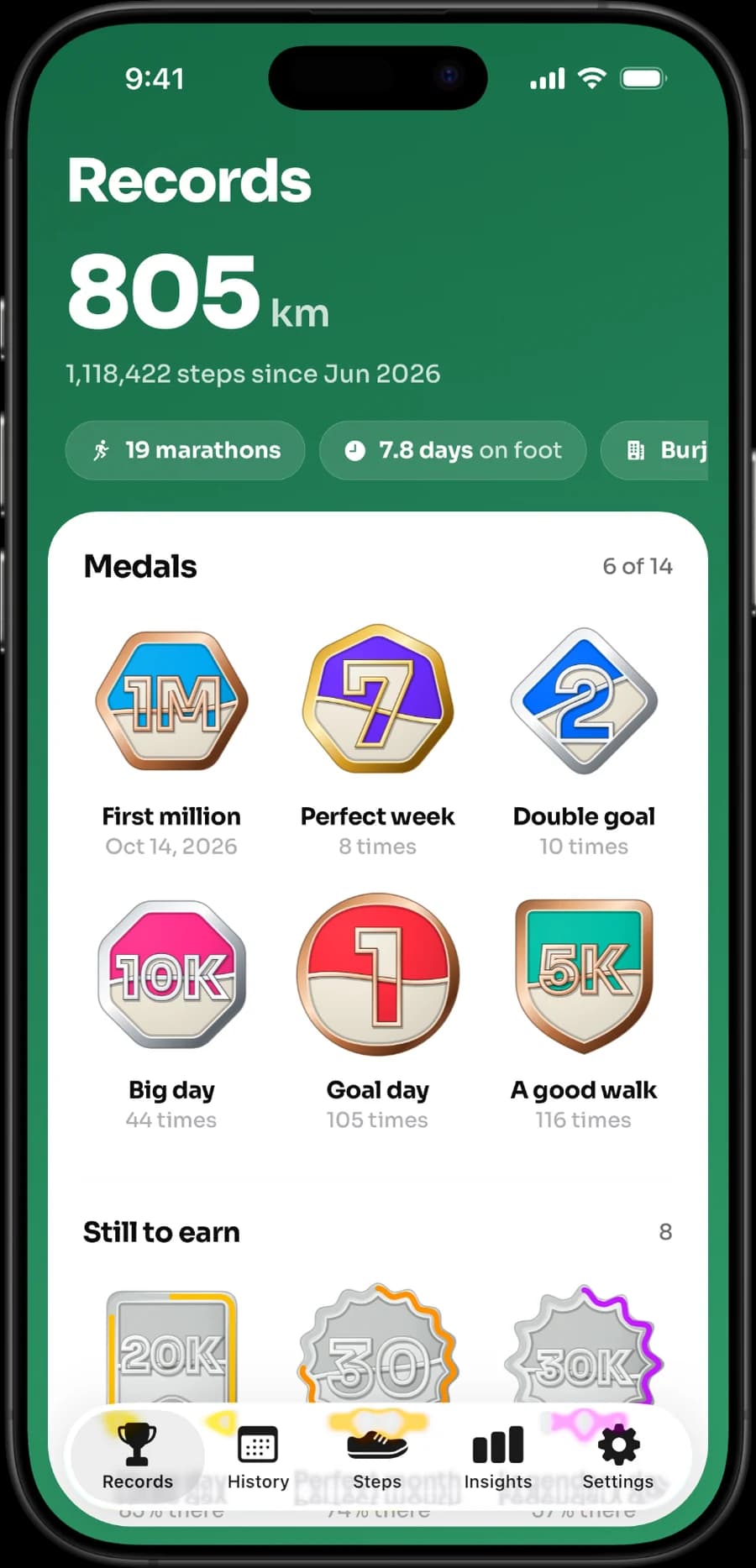
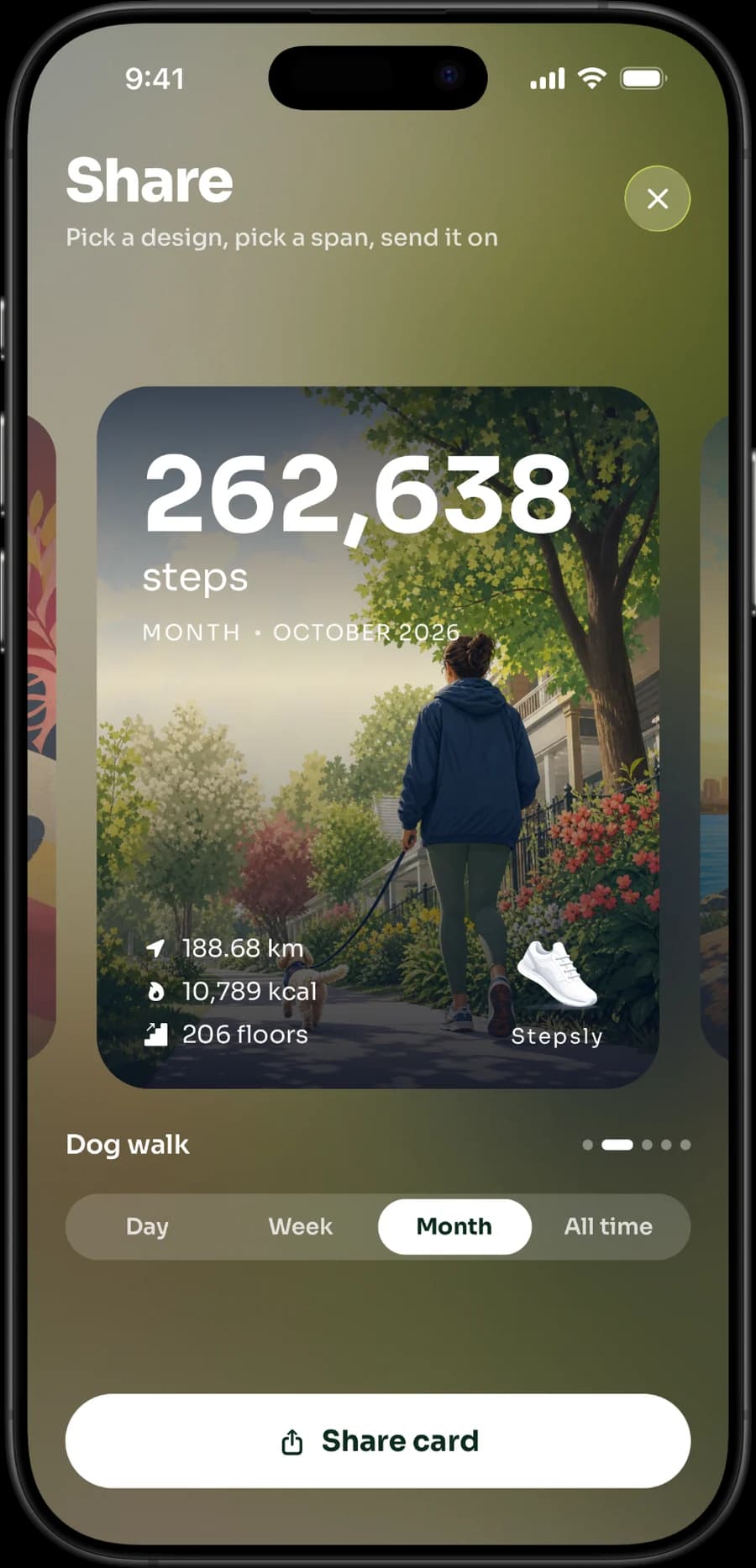
These are real Stepsly screens. They show its calendar history, personal records and share cards; they do not imply Apple Watch, routes, or social features.
Be explicit about the trade-off: Stepsly is iPhone-only and has no standalone Apple Watch app. If a Watch app, GPS route tracking, GPX files, workout recording, or group challenges are non-negotiable, Stepsly is not the right substitute for StepsApp.
A practical switch checklist
- Check which app currently reads or writes Apple Health data, so switching does not create confusing duplicates. Apple's platform security guide explains that read and write access are granted separately for each type of Health data (opens in a new tab) and can be revoked at any time.
- Compare the live App Store purchase terms and trial details—not an old blog price.
- Read the current App Store privacy label and developer policy for every app you grant Health access.
- Test the widget, history view, and notifications with your normal phone/watch setup for a week.
- Decide whether you want social accountability or a more private, personal routine.
For related decisions, read best step-counter apps for iPhone, best iPhone step widgets, Pedometer++ alternatives, Pacer alternatives, and Apple Health vs. a step-counter app.
If the iPhone-first Stepsly fit is what you need, view Stepsly on the App Store (opens in a new tab). It is a step-data companion, not a medical device or a replacement for Apple Health.
Run a fair one-week comparison
Do not try to decide from the marketing page alone. Keep the same iPhone/Watch routine for a week and test only the capabilities you actually use. Check the day view after a normal workday, add a widget, inspect a quiet weekend, and review the history after several days. This shows whether an app’s motivation style fits before a subscription or migration becomes a bigger decision.
| Test | What it reveals |
|---|---|
| Turn social features on or off | Whether groups/challenges motivate or distract you. |
| Use the app on an Apple Watch day | Whether Watch support is essential, not merely nice to have. |
| Check a long outdoor walk | Whether GPS/workout features truly matter for your routine. |
| Review a lower-step day | Whether goals and streaks feel supportive. |
| Read the current paid terms | Whether the product remains a fit after a trial. |
Do not compare two apps at different sync moments and declare one inaccurate. First confirm the same Health sources and permissions, whether your phone was carried, and whether a Watch has synced. Apple's guide to managing Health data (opens in a new tab) shows how Health ranks sources from iPhone, Apple Watch and apps, and our fix guide on a step app showing a different count than Health covers the common causes. The decision is about how an app presents and motivates the data you use.
Pick the motivation style deliberately
StepsApp’s social layer can be the right choice for someone who enjoys a group challenge and external accountability. That same layer can be unnecessary for a reader who wants walking to stay private and low pressure. Stepsly is the alternate choice when a personal iPhone dashboard—goal, streak, medals, records, history, reminders, and widgets—offers the useful motivation without groups.
Neither approach is medically superior. A low total can be appropriate on a recovery day, in bad weather, after an active work shift, or during illness. Choose an app whose design leaves room for those ordinary changes rather than creating an obligation to catch up late at night.
Confirm the decision with current information
Before changing subscriptions, visit the live listing for the exact product and region. Check device support, subscription and trial terms, privacy label, permissions, and policy. A comparison can identify the categories, but it cannot promise that a future price, feature, or privacy disclosure is unchanged.
Keep or switch: a clear rule
Keep StepsApp if its social motivation, Apple Watch presence, groups, workouts, or challenges are the features that genuinely make you more likely to move. Switch only when a different experience solves a real problem: too much social pressure, an unwanted feature set, a different widget preference, or a desire for a more personal iPhone habit view. Do not switch just because one day’s totals look different; investigate Health sources and timing first.
For a focused iPhone alternative, Stepsly’s value is the day-to-day presentation of Apple Health data. Its goals, streaks, medals, records, reminders, widgets, and history can be useful when you want simple visual continuity rather than social comparison. Its limits remain important: no standalone Watch app, no GPS routes or workouts, no GPX, and no challenges/groups. Choose the alternative that preserves your actual must-have.
Leave room for an imperfect week
Any app can turn useful motivation into pressure if the target is too rigid. During a travel week, illness, injury recovery, poor weather, or a physically active work schedule, a lower total may be appropriate. Adjust goals, mute reminders, or use a simple view when needed. A good app choice is one that lets the tool support your life rather than grade it.
Check the experience after the novelty fades
Review the choice after two or three weeks, not only after the first exciting day. Did you still open the history? Was the widget useful? Were groups helping? Did you understand what data the app displayed? A tool that remains quietly useful on an ordinary weekday is more valuable than a complex feature set that you stop using after the trial.
Use the same standard for every alternative: documented capabilities, current terms, a real ordinary week of use, and permission to choose the simpler, calmer, clearer, and more suitable option.
Sources, notes & disclaimers
-
Protecting access to user's health data (opens in a new tab) — Apple Platform Security. Separate read and write Health permissions per data type.
-
Manage Health data on your iPhone, iPad, or Apple Watch (opens in a new tab) — Apple Support. How Health prioritizes data sources.
-
Official product references, verified 2026-08-20: StepsApp (opens in a new tab), Stepsly (opens in a new tab), Pedometer++ (opens in a new tab), and Pacer integrations (opens in a new tab).
-
Features, compatibility, pricing, and privacy labels can change. Verify current App Store information and developer policies before changing apps or subscriptions.
-
Disclosure: Stepsly is the publisher’s product. This comparison gives scenarios where other apps are a better fit.