There is no single best step counter for every iPhone owner. The most useful app is the one that matches the data you already have and gives you a reason to check it: a simple daily goal, a larger history view, Apple Watch access, a widget, social motivation, or route tools.
Before choosing an app, open Apple Health and consider where your current steps come from. If you walk with your phone, phone motion data can matter: Apple notes that built-in iPhone sensors capture the number of steps you take (opens in a new tab). If you wear an Apple Watch, Health may combine and prioritize sources, and Apple's guide to managing Health data (opens in a new tab) shows how to change that order. A step counter app is usually a presentation and motivation layer around that data—not an independent guarantee of perfect measurement.
Decide by need, not by a one-size-fits-all list
| Need | What to prioritize |
|---|---|
| See today at a glance | A readable widget and quick daily progress view. |
| Build a routine | A realistic goal, reminders, streaks, and a clear history. |
| Use Apple Watch as the main device | A standalone Watch app and complications. |
| Track routes or workouts | GPS and workout features—not just a pedometer. |
| Stay accountable with others | Challenges, groups, and sharing controls. |
| Keep it simple | Few permissions, few screens, and a data view you understand. |
The decision is personal. More features are not automatically better; a social feed can motivate one person and distract another.
Current options in context
Last verified: 2026-08-20. The following entries summarize the linked official product information. Recheck live app details, pricing, and privacy labels at the time you download. Stepsly details reflect Stepsly 4.0 (October 2026).
| Best fit | App to evaluate | Why it may fit | When to pick something else |
|---|---|---|---|
| Focused iPhone step habit | Stepsly (opens in a new tab) | Apple Health-based steps and daily metrics with goals, streaks with streak freezes, 14 medals, history, Home Screen and Lock Screen widgets, and share cards. No account and no ads; requires Stepsly Pro (weekly, yearly or a one-time Lifetime purchase). | Choose another option if you need a standalone Apple Watch app, GPS routes, workout tracking, or social challenges. |
| Apple Watch and route tools | Pedometer++ (opens in a new tab) | Its listing documents an iPhone and Apple Watch app, Watch complications, Home/Lock Screen widgets, and route planning. | Choose a more focused app if all you want is a daily Apple Health dashboard. |
| Social or multi-device motivation | StepsApp (opens in a new tab) | Its listing documents Apple Watch support, challenges, groups, leaderboards, analytics, and widgets. | Choose a quieter, less social experience if challenges are not motivating. |
| Pacer ecosystem and integrations | Pacer (opens in a new tab) | Pacer documents Apple Health/Watch use and several wearable integrations. | Choose a simpler Apple Health companion if you do not need that broader setup. |
None of these labels say one app is objectively best. They identify the decision each product is designed to serve.
A closer look at the Stepsly use case
Stepsly is a good match when you want a habit-focused iPhone companion for Apple Health data: glanceable progress, a goal, streaks with streak freezes, 14 enamel medals, and a personal day/week/month history. It supports 10 Home Screen widgets plus 4 Lock Screen widgets, 8 color themes in light or dark, and metric or imperial distance display. There is no account and no ads; it requires Stepsly Pro.
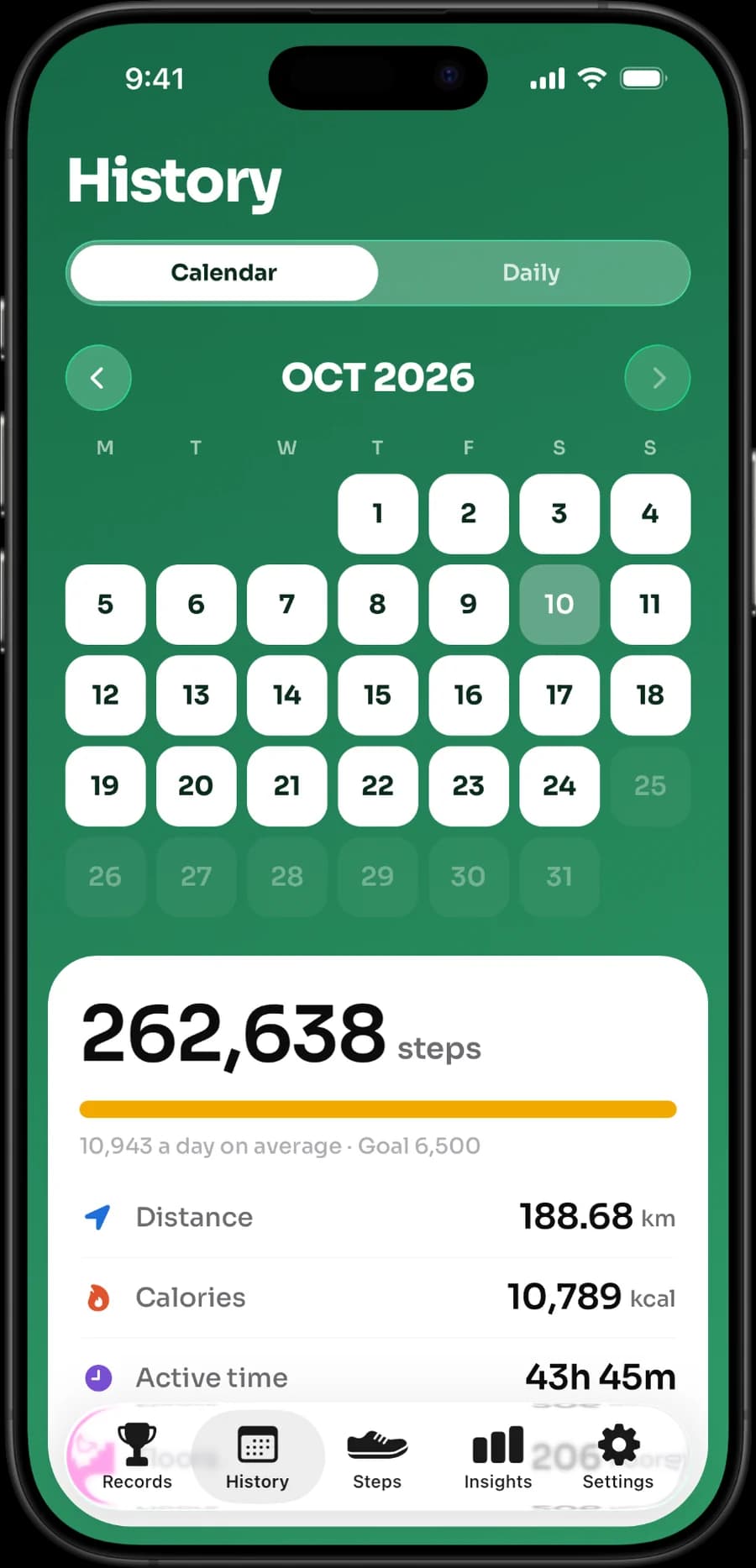
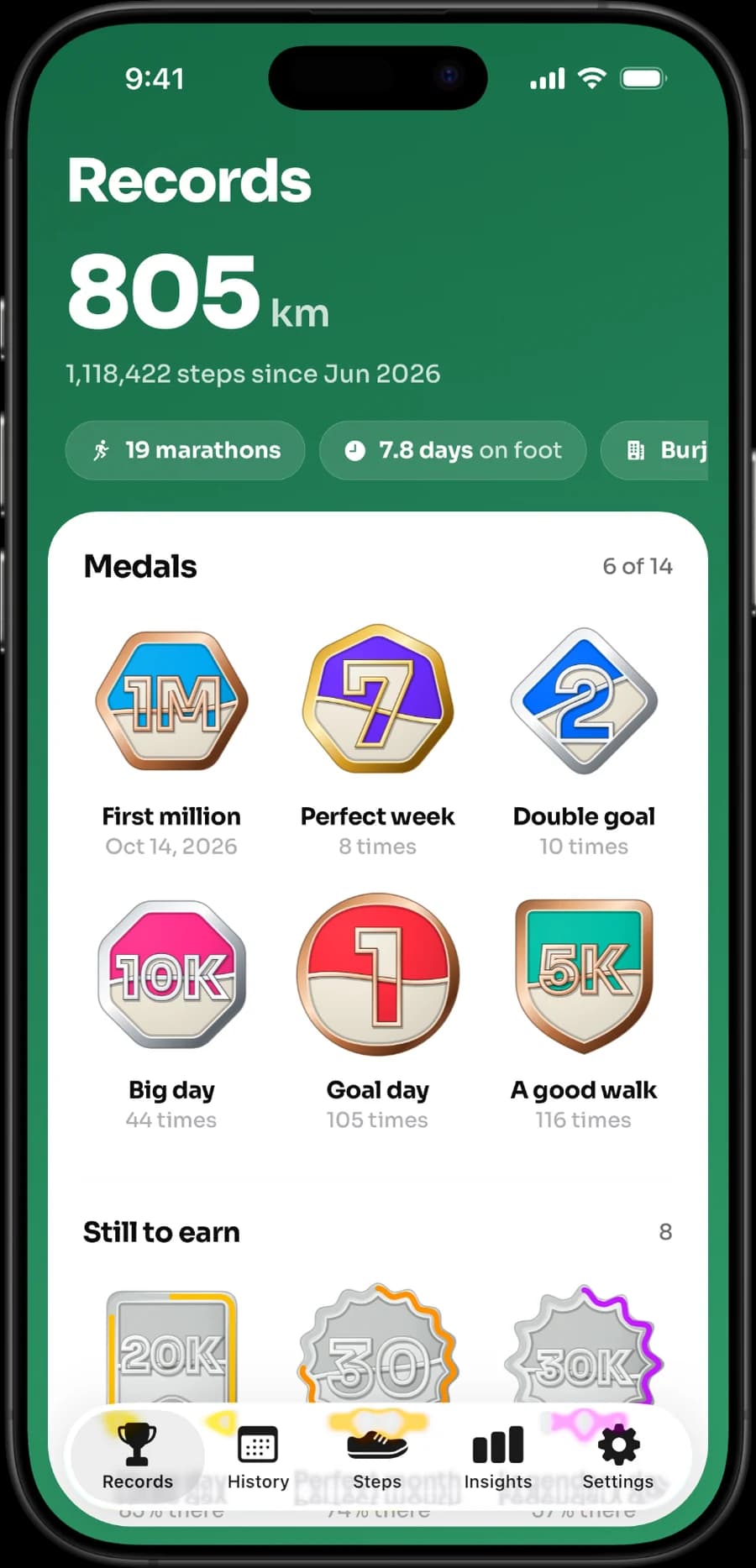
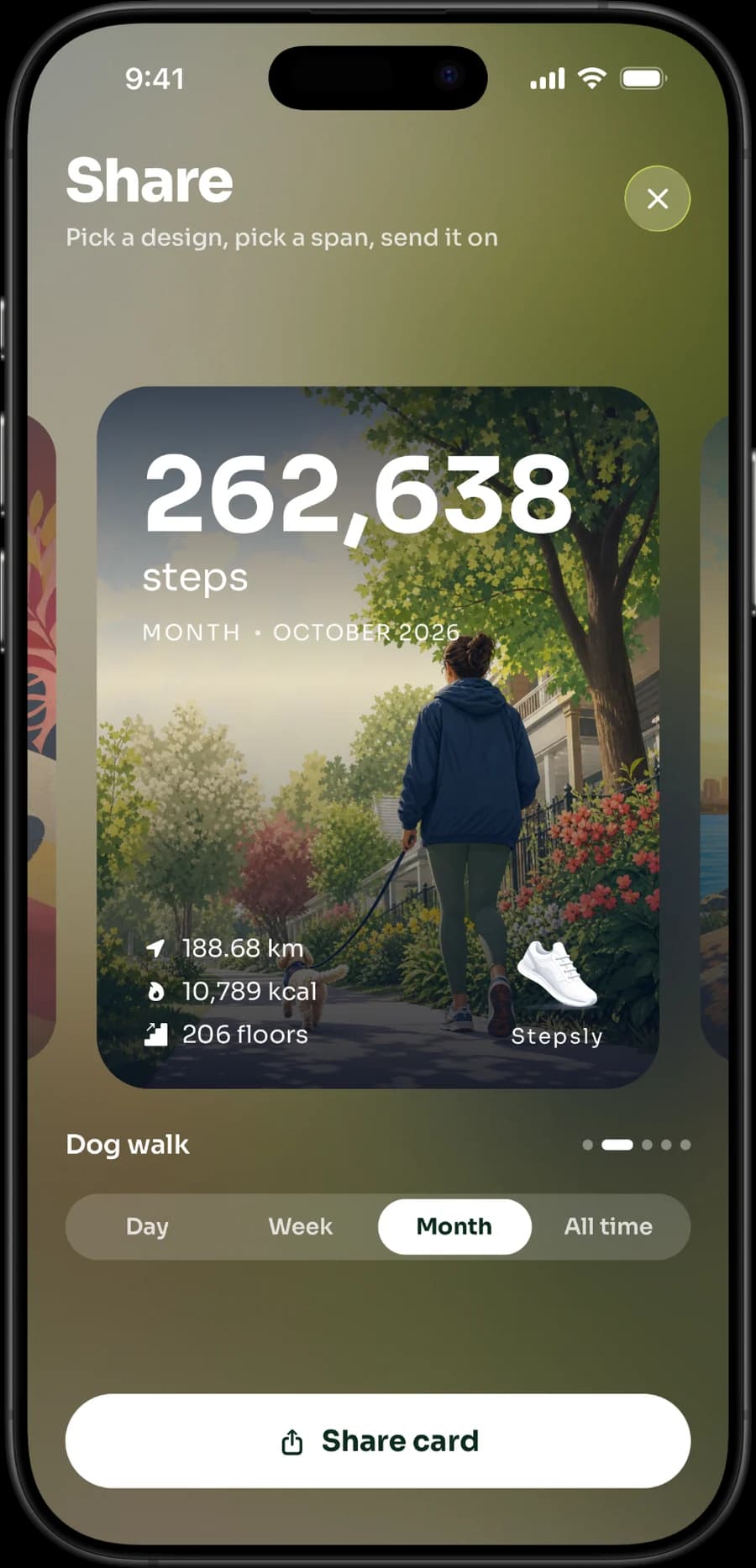
Those are real product screenshots. They are shown to help you judge the presentation, not to imply clinical accuracy or features that are not documented.
Stepsly is not the best fit if the decision is Apple Watch-first tracking: it does not have a standalone Apple Watch app. It also does not offer GPS route recording, GPX export, workout tracking, or social challenges. Those limitations are why an honest shortlist includes alternatives.
Test an app for a week before deciding
Use one data source consistently, then test the parts that matter:
- Do the daily total and progress view make sense to you?
- Does the widget update in a way that is useful for your workflow?
- Does history help you notice a pattern, rather than create pressure?
- Are reminders helpful, and can they be adjusted or turned off?
- Can you explain its trial, purchase terms, and privacy label in plain language?
If you use an Apple Watch, check source priority in Apple Health before declaring an app “wrong.” Different device sources and update timing can make totals differ temporarily. Our fix guide on Health data source priority giving wrong steps walks through the settings.
Read how an Apple Health companion differs from Apple Health, the best iPhone step widgets, Pedometer++ alternatives, Pacer alternatives, and how to set a gradual goal.
If a focused iPhone Apple Health view is what you want, view Stepsly on the App Store (opens in a new tab). It is a step-tracking and presentation tool, not a medical device or clinical recommendation.
Use a small real-world evaluation
The most useful comparison is your own normal week. Install only the apps you are genuinely considering, connect Apple Health carefully, and give each one the same chance to present the same data. Avoid comparing a full day in one app with a partial or differently sourced day in another. You are testing the experience, not trying to determine which device counts every movement perfectly.
| Test | Decision it supports |
|---|---|
| View the morning and evening totals | Is the daily presentation easy to understand? |
| Add the Home/Lock Screen widget | Does the glanceable view show the metric you care about? |
| Look at a week of history | Does it help you plan, rather than just compare? |
| Check a rest or active-work day | Does the goal system remain flexible? |
| Read payment and privacy details | Are the ongoing terms acceptable before you commit? |
The outcome may be a different app for different people. A route runner may reasonably prefer a product with dedicated workouts. A Watch owner may need a companion app and complications. Someone motivated by groups may choose StepsApp or Pacer. Someone who wants an uncluttered iPhone habit view may prefer Stepsly. A recommendation is useful only when it makes that trade-off clear.
Understand the role Apple Health plays
Apple Health is a data hub, while step-counter apps provide their own views and motivation systems. When a total looks different from expectation, check whether the phone was carried, whether the Watch synced, which sources have permission, and how Health is prioritizing them. Switching apps will not necessarily solve a data-source or update-timing issue. If one app shows a different total than Health, start with why a step app can show a different count than Health.
Stepsly’s role is to make that iPhone Apple Health picture easier to act on: progress against a goal, day/week/month history, lifetime trends, medals, records, and widgets. It does not replace Apple Health, independently verify step accuracy, or provide every category of fitness feature. Its no-Watch/no-GPS/no-workout/no-social-challenge limits are part of the decision, not footnotes.
Set the goal after you pick the tool
Avoid letting an app’s default target determine what is safe or suitable for you. Start from a normal week and choose a gradual personal adjustment, or use a time-based walking habit instead. Low energy, illness, a physically demanding shift, injury recovery, and other conditions can make a lower total appropriate. A dashboard should support flexible planning, not create a debt to erase late in the day.
Make a purchase decision with current information
After the test week, return to the live App Store listing for any paid option. Review subscription duration, trial eligibility, renewal terms, which features are behind a paywall, device compatibility, and the privacy label. A comparison article can identify categories and official claims, but it cannot guarantee a price or feature gate will be unchanged. If the current terms do not make sense in plain language, wait before subscribing.
Also consider the exit path. Can you still see data you care about if you stop paying? Is Apple Health the source you expect? Are reminders and sharing adjustable? These questions make the choice more resilient than selecting an app solely because it appears at the top of a list.
An honest way to recommend Stepsly
Stepsly should be the recommendation only when its specific iPhone-first goal, history, widget, streak, medal, and Apple Health presentation match the reader’s need. It is not positioned as a replacement for an Apple Watch app, a GPS workout tool, a social challenge network, or a clinical measurement system. Readers who need those capabilities should choose the documented alternative that provides them.
Sources, notes & disclaimers
-
Intro to Health data on iPhone (opens in a new tab) — Apple Support. iPhone sensors count steps automatically.
-
Manage Health data on your iPhone, iPad, or Apple Watch (opens in a new tab) — Apple Support. How Health prioritizes data from iPhone, Apple Watch and apps.
-
Official product references, verified 2026-08-20: Stepsly (opens in a new tab), Pedometer++ (opens in a new tab), StepsApp (opens in a new tab), and Pacer device integrations (opens in a new tab).
-
Product features, compatibility, purchase terms, and privacy labels can change. Review the current App Store listing and developer policy before deciding.
-
Disclosure: Stepsly is the publisher’s product. This is a fair editorial comparison; it does not claim that Stepsly is the best choice for every reader.