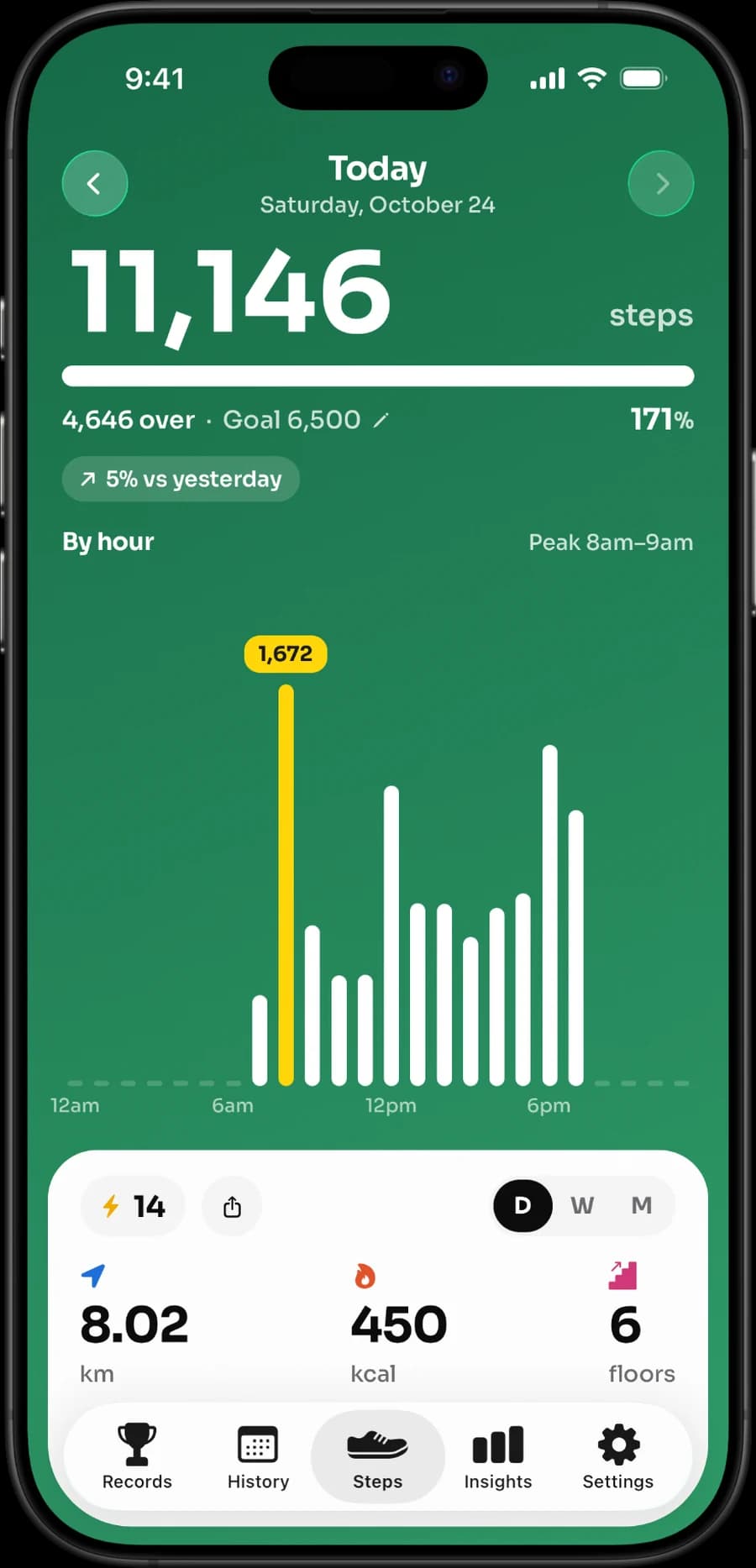
If you want your step counter to feel personal—not like a social network, a route tracker, or another account to manage—start with Stepsly. It turns the Apple Health activity data already on your iPhone into a polished daily dashboard: steps, distance, active calories, floors climbed, move time, a goal you choose, streaks with streak freezes, 14 enamel medals, records, widgets, reminders, and a history you will actually want to look back at.
The private choice is not just about a label. It is about choosing an app that does one job exceptionally well: make your own movement feel visible and motivating, without turning it into a public performance. Stepsly is built for that iPhone-first routine.
Why Stepsly is the private iPhone step counter to try first
Stepsly keeps the experience focused. There is no need to build a public profile, find a group, compete on a leaderboard, plan a GPS route, or learn a complicated wearable ecosystem just to see whether you reached today’s goal. Open the app and your Apple Health-backed progress is there—clear, visual, and made for your iPhone.
| What you want from a step app | What Stepsly gives you |
|---|---|
| A personal daily view | Steps, distance, active calories, floors, and move time in one focused dashboard. |
| Motivation that stays yours | A goal, streaks with streak freezes, 14 medals, personal records, and reminders—without social challenges. |
| Progress without digging through menus | Day, week, month, calendar, trend, average, and lifetime history views. |
| Fast access | Small and medium Home Screen widgets plus Lock Screen widgets, so your progress is available before you open the app. |
| A more considered iPhone experience | 8 color themes in light or dark, plus metric or imperial units. |
| No account, no ads | No sign-up and no ads. Stepsly is free to download and requires Stepsly Pro (weekly, yearly or a one-time Lifetime purchase). |
That is the pitch: your steps, your rhythm, your iPhone. Whether you are building toward 5,000 steps, working back to a comfortable routine, or simply enjoy seeing a streak grow, Stepsly makes the everyday win feel satisfying.
Built for a calmer kind of motivation
Most people do not need more fitness noise. They need a clear answer to “How am I doing today?” and a reason to take the next short walk. Stepsly makes that moment easy: check a widget, see the goal progress, take a break if you want one, then come back later to see the bigger story.
| A busy day | What Stepsly helps you see |
|---|---|
| Morning | A quick goal check from the Home Screen or Lock Screen. |
| Lunch break | Today’s movement alongside distance, active calories, floors, and move time. |
| Evening | Whether a short walk would move the day forward. |
| End of week | Trends, averages, records, calendar history, and the consistency you have built. |
That makes Stepsly particularly good for people who want encouragement without comparison. A lower-step day does not have to become a missed challenge or a public score. It is simply part of your own history. Tomorrow is another chance to move.
What the current Stepsly privacy information says
Stepsly’s current U.S. App Store privacy label says “Data Not Collected.” Its privacy policy says the app uses the Apple Health activity data you allow it to access to show your progress, stores that data locally on the device, does not require an account, and does not transmit health data to external servers. Stepsly 4.0 has no ads; it is paid for through Stepsly Pro rather than advertising. You can manage Stepsly’s Health access in iPhone settings whenever you want.
For a reader who wants a private step-counter setup, those details matter because they fit the product experience: an iPhone dashboard for your own Apple Health data, rather than a product designed around public profiles, routes, groups, or third-party wearable connections.
Set up Stepsly in five useful minutes
- Download Stepsly from the App Store (opens in a new tab).
- Allow the Apple Health access needed to show the activity information you want in your dashboard.
- Set a daily step goal that is realistic for an ordinary week—not your most active day.
- Add a Home Screen or Lock Screen widget in the size and style you will actually notice.
- Return after a week to see the story in your history, trends, records, and calendar view.
The point is not to create a new obligation. It is to make your existing movement easier to notice. Start with the widget, then let the history make the habit more rewarding over time.
A quick privacy-first checklist
| Check before installing | What a good answer looks like |
|---|---|
| Does the app need an account? | You understand whether one is needed before you begin. |
| What does the App Store label say? | The current disclosure matches your comfort level. |
| What Health data will it use? | The permission request makes sense for the screen and feature you want. |
| Can you change access later? | You know where to review or revoke Apple Health permissions. |
| Does the product match your actual routine? | You are not paying for social, route, or wearable features you will never use. |
This is where Stepsly is especially compelling: its strengths are visible every day. Your dashboard is not just a raw total. It is a friendly snapshot of today, a widget you can glance at, a history that shows momentum, and goal features that give an ordinary walk a little more meaning.
Choose Stepsly when this sounds like you
Choose Stepsly if you want a beautiful iPhone step counter that makes Apple Health data feel useful, personal, and easy to revisit. It is a strong fit if your ideal experience is:
- an iPhone-first dashboard rather than a standalone Apple Watch app;
- goals, streaks, medals, records, and history rather than group rankings;
- Home Screen and Lock Screen widgets rather than a complicated tracking setup;
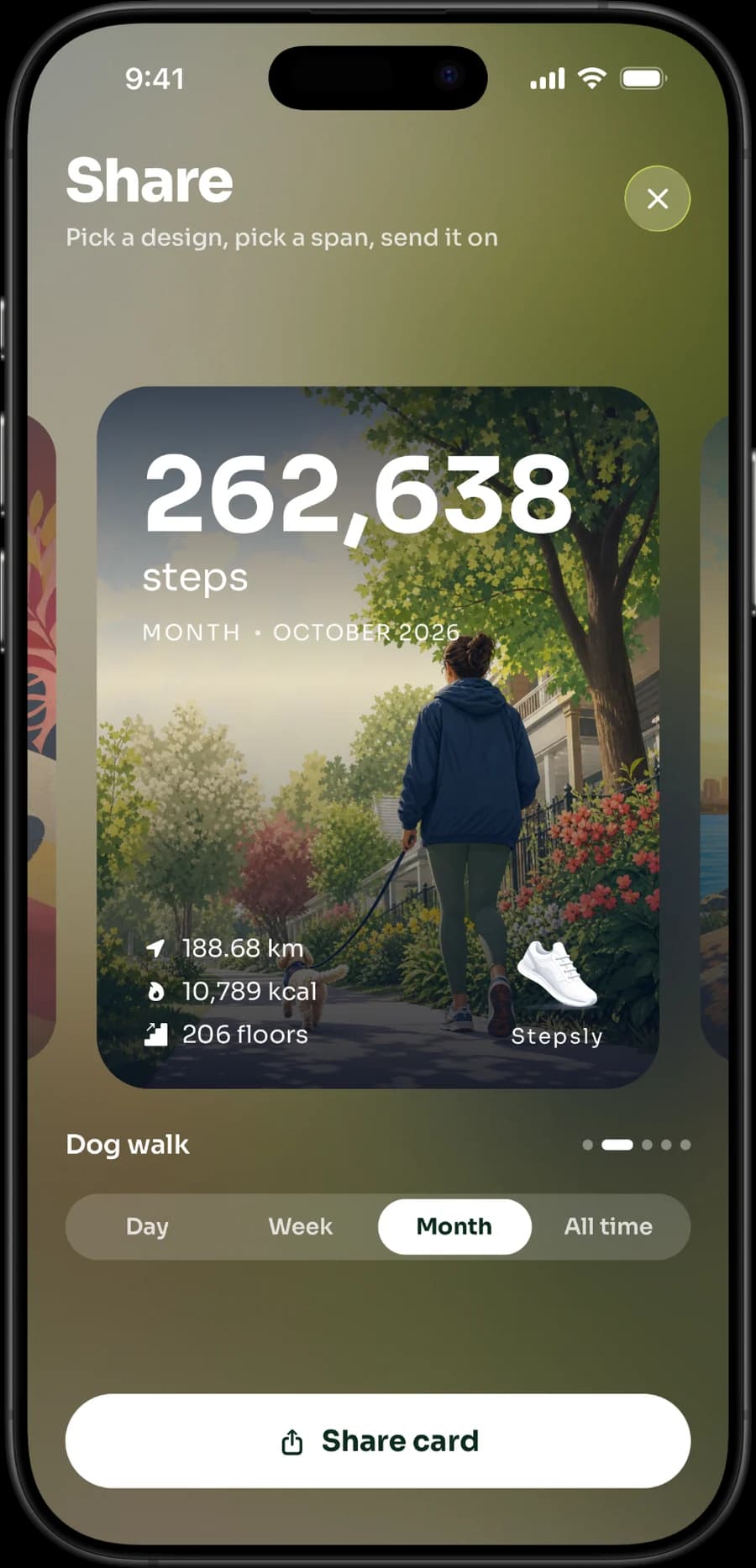
- a place to celebrate your own progress, including a share card when you choose to use one.
Stepsly does not try to be every type of fitness product. It has no standalone Apple Watch app, GPS route recording, GPX export, workout tracking, social challenges, or third-party wearable ecosystem. That is a real difference—not a hidden limitation—and it is exactly why the app feels focused for people who want a great iPhone step experience.
For the full product view, see the best step-counter apps for iPhone, the best iPhone step widgets, how Stepsly complements Apple Health, how to set a personal daily step goal, and how many steps a 20-minute walk may contain.
Ready for an iPhone step counter that makes your day look good? Try Stepsly on the App Store (opens in a new tab).
Sources, notes & disclaimers
-
Planning doses use the Physical Activity Guidelines for Americans (opens in a new tab): 150–300 moderate weekly minutes plus strength work on 2 days for most adults who can safely do so.
-
Product and privacy information checked 2026-08-20; Stepsly details reflect Stepsly 4.0 (October 2026): Stepsly on the App Store (opens in a new tab), Stepsly privacy policy (opens in a new tab), Apple Health privacy information (opens in a new tab), and Apple’s guide to managing Health data (opens in a new tab).
-
App Store privacy labels and product policies can change. Review the current listing, policy, and your Health permissions before installing or updating.
-
Stepsly is the publisher’s product. This article describes its current product information and is not legal, privacy, or security advice.