If you are looking for a Fitbit alternative on iPhone, first decide what you are replacing. Fitbit is a device ecosystem as well as an app experience. A step-counter app cannot replace a wearable’s sensors, charging, sleep hardware, or watch-style notifications. It can, however, give iPhone and Apple Health activity data a clearer daily presentation.
For iPhone owners, the decision usually falls into one of four paths: stay with a Fitbit-compatible wearable ecosystem, use Apple Watch and Apple Health, use your iPhone’s built-in motion data, or add a focused Apple Health companion for goals, history, and widgets.
Choose the category before the brand
| What you actually need | Best category to evaluate |
|---|---|
| A wearable with its own sensors and device ecosystem | Compare wearable hardware and the manufacturer’s current iPhone app. |
| A wrist-based Apple experience | Evaluate Apple Watch plus Apple Health and Watch-capable step apps. |
| Phone-only step tracking | Use iPhone motion/Apple Health with an iPhone step companion. |
| A simple daily habit view | Evaluate goals, widgets, history, reminders, and motivation style. |
| Routes or workouts | Choose an app that explicitly documents GPS/workout capability. |
Apple says iPhone sensors can capture steps, flights climbed, and walking data in Health. That makes a phone-only setup viable when you consistently carry the phone. It will not record steps taken while your phone is left behind.
What counts as a fair alternative
Last verified: 2026-08-20. This table does not present one product as a replacement for every Fitbit use case. It matches product categories to needs using the linked official sources. Stepsly details reflect Stepsly 4.0 (October 2026).
| Option | Good fit when… | Key thing it cannot replace |
|---|---|---|
| Stepsly (opens in a new tab) | You want an iPhone Apple Health companion for steps, goals, history, Home Screen and Lock Screen widgets, streaks with streak freezes, 14 medals, and visual progress. No account and no ads; requires Stepsly Pro (weekly, yearly or a one-time Lifetime purchase). | It has no standalone Apple Watch app and is not a Fitbit/wearable replacement, GPS route tracker, or workout app. |
| Apple Health + Apple Watch | You want Apple’s platform and wrist hardware to be the main data source. | It may not provide the focused goal/history presentation you prefer without another app. |
| Pedometer++ (opens in a new tab) | You want iPhone/Apple Watch access, Watch complications, widgets, and official route tools. | It does not replace every wearable ecosystem or device-specific metric. |
| Google Health (opens in a new tab) | You want the current Google/Fitbit-connected service and compatible wearable ecosystem. Google documents pairing with Fitbit and Pixel Watch. | An iPhone-only step app is not the same device ecosystem, and Google Health is not an Apple Watch replacement. |
Where Stepsly fits—and does not fit
Stepsly works best after you have already chosen your activity source. It reads Apple Health activity data and presents daily steps, distance, active calories, floors, move time, goals, streaks with streak freezes, 14 medals, history, Home Screen and Lock Screen widgets, reminders, and share cards on iPhone.
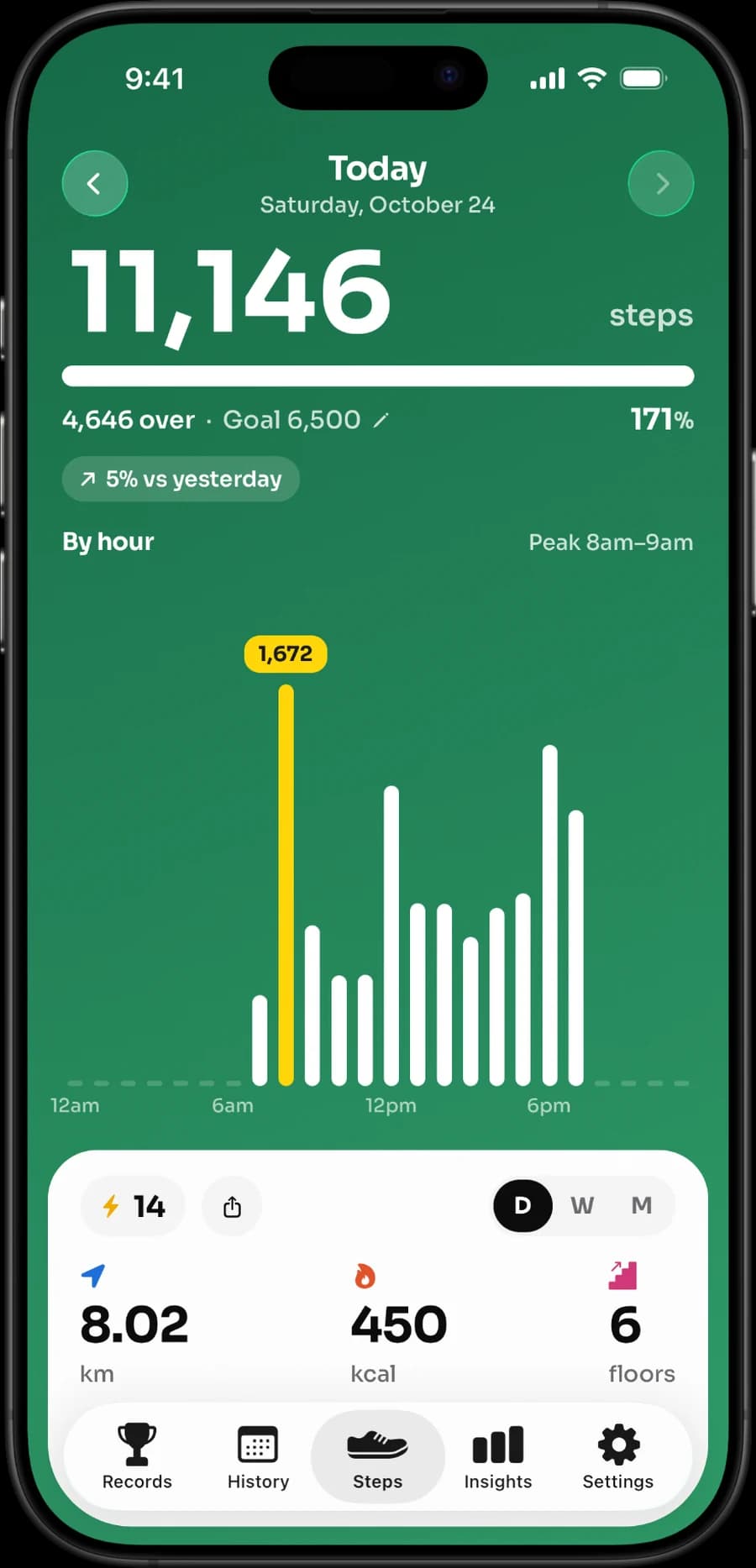
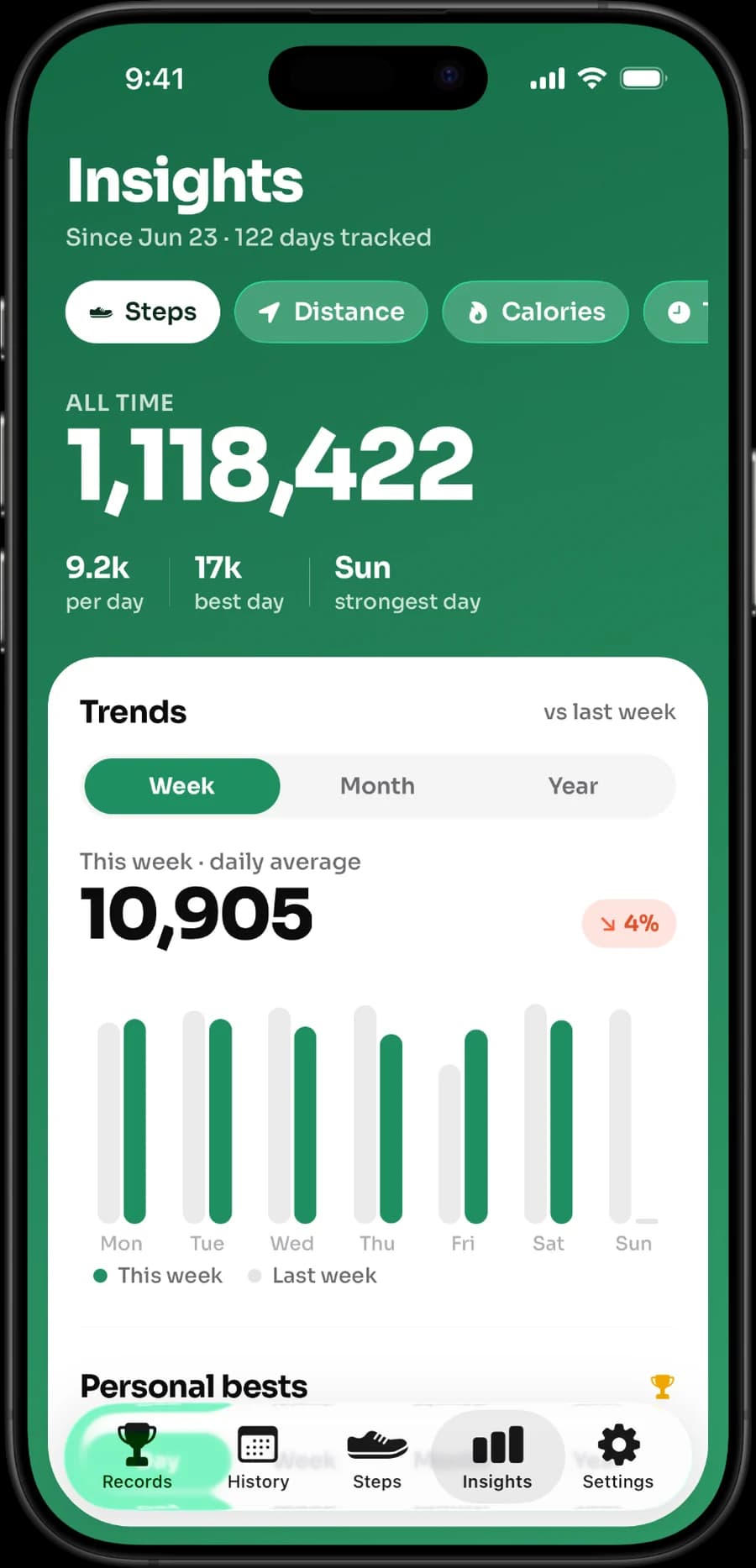
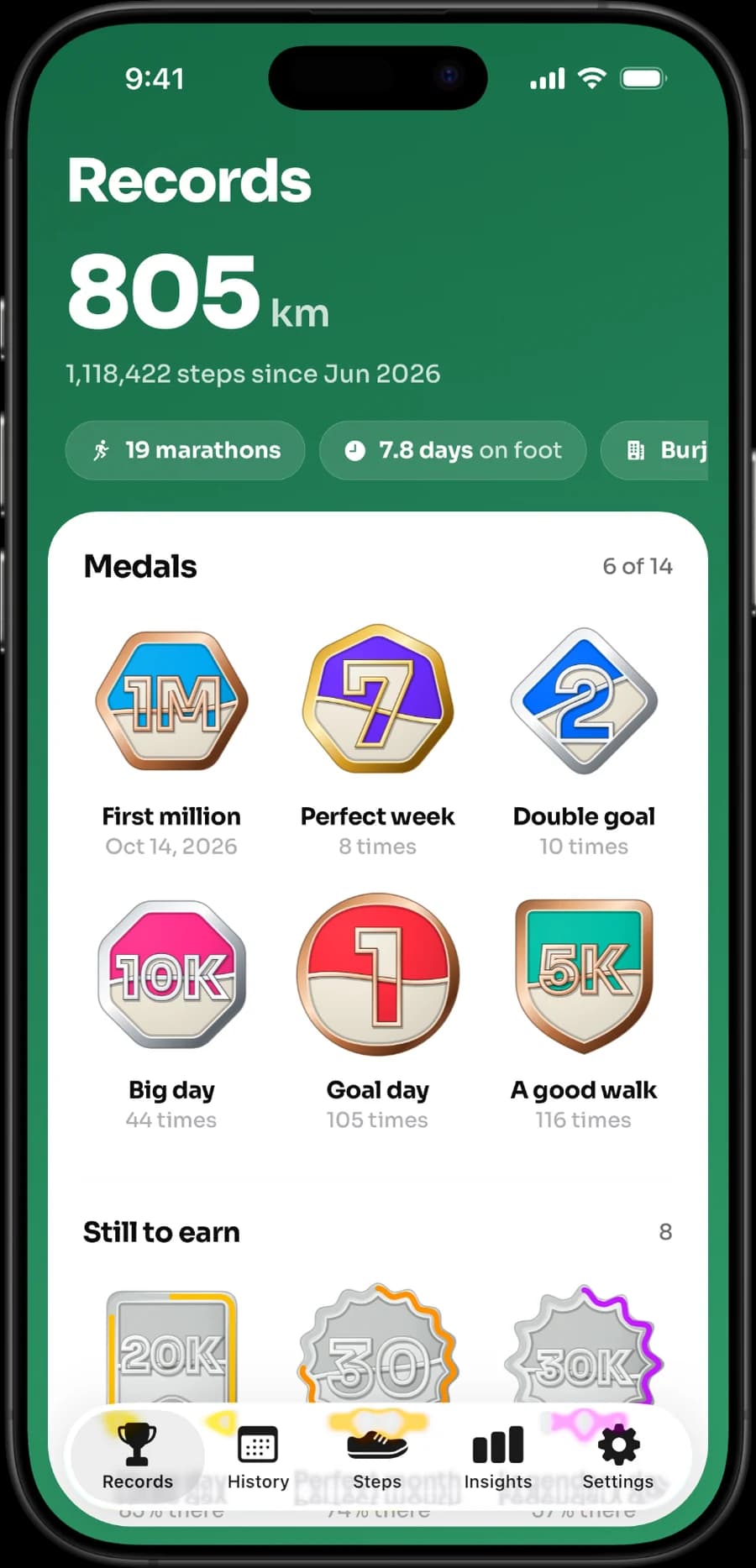
It is a good fit for someone who carries an iPhone or already has Apple Health data and wants a clearer habit loop around it. It is not a reason to abandon Fitbit hardware if the hardware, its sleep tracking, its device controls, or its wider ecosystem are what you value. It also has no standalone Apple Watch app.
That distinction is important. Calling Stepsly a “Fitbit replacement” would be misleading. Calling it an iPhone Apple Health step companion is accurate.
Make the transition carefully
If you are changing ecosystems, start with data and permissions:
- Decide which device should be your primary source of steps.
- Check Apple Health data sources and access so you understand what an app can read or write.
- Avoid comparing totals that were recorded by different devices on different days.
- Test your new setup for a week before cancelling a subscription or giving away hardware.
- Read current privacy labels and policies for every app that receives health information.
For further reading, see best step-counter apps for iPhone, Pedometer++ alternatives, private step-counter app questions, Apple Health vs. a step-counter app, and how a 20-minute walk translates to steps.
If your need is an iPhone-first Apple Health view, view Stepsly on the App Store (opens in a new tab). It is not a medical device and does not replace a wearable.
Identify the Fitbit job you are replacing
“Fitbit alternative” can mean several different purchases. It may mean a new wearable, an app that presents activity data, a source of sleep and notifications, a social community, or a way to view Apple Health steps. Those are not interchangeable. A phone-only app cannot create wrist-sensor data when your iPhone stays at home, and it cannot become a device-specific sleep or hardware-control experience merely because it shows a step total.
| If you currently value Fitbit for… | Evaluate this before changing |
|---|---|
| Wearing a tracker every day | Battery, sensors, charging, device comfort, and manufacturer support. |
| Sleep or device-specific health metrics | The exact wearable/service feature and how it works on iPhone. |
| A step dashboard | Whether Apple Health plus a focused companion offers the view you want. |
| Social/accountability features | The current group, challenge, sharing, and privacy controls. |
| Outdoor activity recording | A documented GPS/workout product, not a basic pedometer. |
This list prevents a misleading comparison. Stepsly can be a good replacement for the presentation layer when Apple Health is already your activity source. It is not a replacement for Fitbit hardware or a broader wearable ecosystem.
Run a low-risk transition test
Before cancelling a service or buying hardware, test the iPhone/Apple Health setup through an ordinary week. Carry the phone as you normally would, wear the Watch if that is part of your plan, and look at Apple Health source data before comparing displayed totals. Add Stepsly only if its goal, streak, widget, medal, record, and history views make the data easier to use.
If you retain Fitbit hardware, do not assume every source will appear in Apple Health in the way you expect; review the current official integration documentation. Similarly, do not judge an iPhone-only app by steps it could not record because the phone was not carried. The useful choice is about data flow and daily experience, not one screenshot from a synchronization moment.
Keep the final choice honest
Choose Google/Fitbit or another wearable ecosystem if hardware and its specific capabilities are essential. Choose Apple Watch and a Watch-capable app if wrist access and complications matter. Choose Stepsly only when an iPhone-first Apple Health companion is the desired endpoint. Its explicit limitations—no standalone Apple Watch app, GPS routes, workouts, GPX, or wearable ecosystem—are why it should not be oversold.
Before paying, check live compatibility, device requirements, trials, subscription terms, privacy labels, and policies. Product categories and features change; the current official page is more authoritative than any static ranking.
Make the decision around your real device behavior
Think about a typical week rather than an ideal one. Do you wear a tracker overnight? Do you leave the phone on a desk? Do you need to see progress on a wrist, or is the iPhone enough? Do outdoor routes and workouts matter, or do you mainly want a simple daily number and history? These answers determine whether you are choosing hardware, a data platform, or a presentation app.
There is no need to replace everything at once. You can start by using Apple Health as the central data view, then decide whether a companion like Stepsly adds useful motivation. If it does not, Health alone is still a complete choice for many people. If hardware remains essential, keep the comparison at the wearable level instead of expecting an app to fill a sensor or device role it does not have.
Avoid one-day accuracy comparisons
Different devices, carry habits, and sync times can produce different displays. Compare data under similar conditions and inspect Apple Health sources before drawing conclusions. More importantly, do not let a small difference decide your routine. A tool is worthwhile when it makes movement, recovery, and health data easier to understand over time.
Stepsly’s honest role is modest but useful: it can turn existing Apple Health activity data into an iPhone habit view. It cannot make an iPhone into a wearable, interpret sleep data, replace device sensors, or offer a standalone Apple Watch app. That clarity lets readers make an informed choice rather than a disappointing swap.
Sources, notes & disclaimers
-
Planning doses use the Physical Activity Guidelines for Americans (opens in a new tab): 150–300 moderate weekly minutes plus strength work on 2 days for most adults who can safely do so.
-
Official references, verified 2026-08-20: Google Health (opens in a new tab), Apple: Health data on iPhone (opens in a new tab), Pedometer++ (opens in a new tab), and Stepsly (opens in a new tab).
-
The Google/Fitbit service, device compatibility, pricing, Apple Health connections, and app features can change. Review current manufacturer and App Store information before buying hardware or cancelling a plan.
-
Disclosure: Stepsly is the publisher’s product. It is presented here only as an iPhone Apple Health step companion, not as a Fitbit or Apple Watch replacement.